All Warehouses
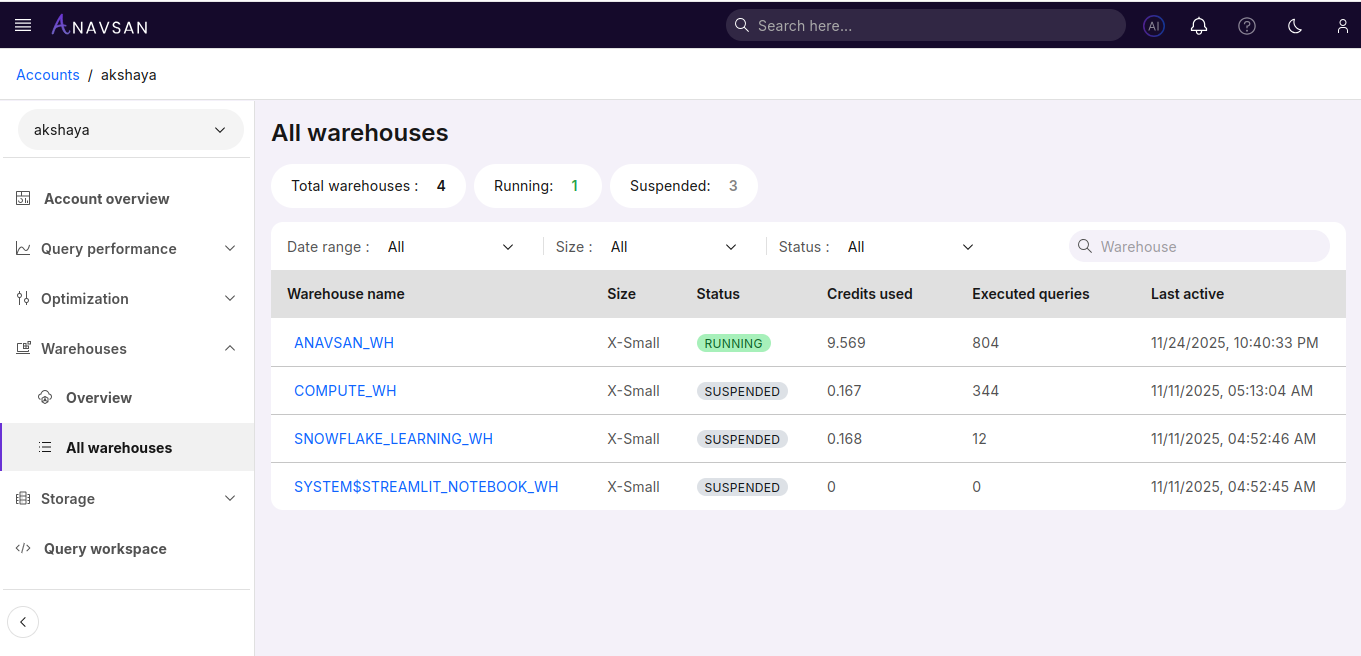
The All Warehouses view provides a complete, account-wide list of every Snowflake warehouse along with key configuration and usage metrics. It is designed to give FinOps and data platform teams a clear, at-a-glance understanding of compute activity, warehouse sizing, and credit consumption across the entire Snowflake environment.
This page serves as the central directory for reviewing warehouse behavior and identifying optimization opportunities at the compute layer.
Warehouse Summary
A set of summary tiles provides a quick snapshot of the warehouse footprint for the connected Snowflake account:
Total Warehouses – Total number of warehouses present in the account.
Running Warehouses – Warehouses currently active and consuming compute resources.
Suspended Warehouses – Warehouses currently inactive.
These indicators help teams understand overall compute capacity, operational activity, and the balance between active and idle warehouses.
Warehouse List
All warehouses are presented in a structured table that highlights essential configuration and usage metrics for each warehouse.
Columns
| Column | Description | Use Case |
|---|---|---|
| Warehouse name | Name of the warehouse. Click to view warehouse details. | Quickly open the warehouse to review activity and performance. |
| Size | Current warehouse size (X-Small → 4X-Large). | Compare compute capacity and cost impact. |
| Status | Running or Suspended. | Understand operational availability. |
| Credits used | Total compute credits consumed by the warehouse. | Understand how much this warehouse contributes to overall credit usage. |
| Executed queries | Number of executed queries. | Assess workload volume. |
| Last active | Timestamp of most recent activity. | Identify recently used or idle warehouses. |
Filters
Filters help narrow the warehouse list to focus on specific workload or operational patterns.
Date Range Filter
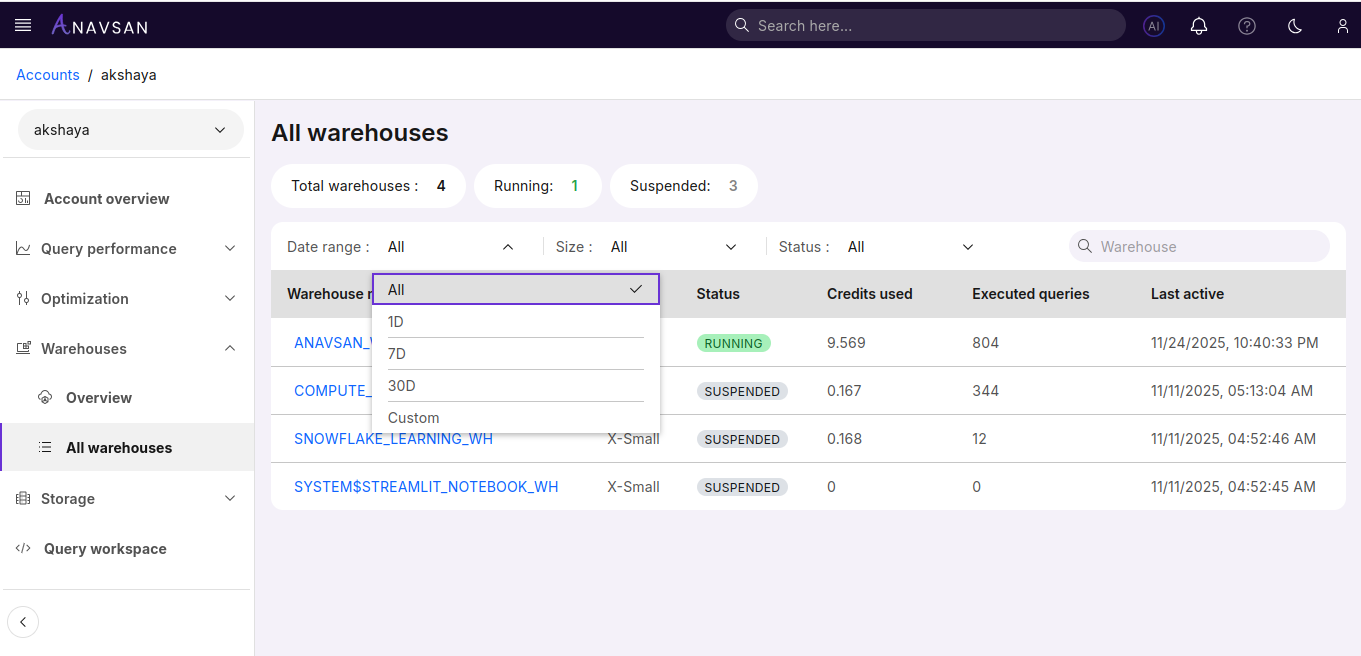
Choose a preset or custom date range:
- All — Show usage across all dates
- 1D — Last 24 hours
- 7D — Past week
- 30D — Past month
- Custom — Manually pick start and end dates
Affects credits used, executed queries, and last active values.
Size Filter
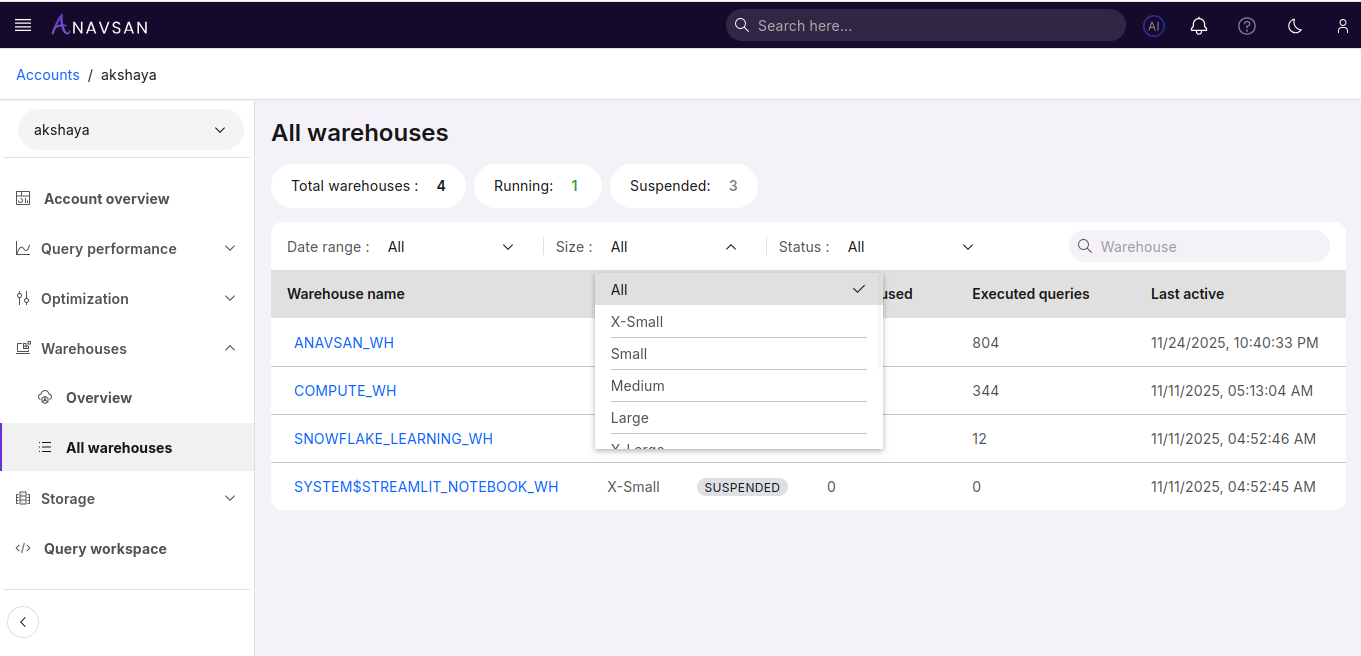
Filter warehouses by compute size:
Status Filter
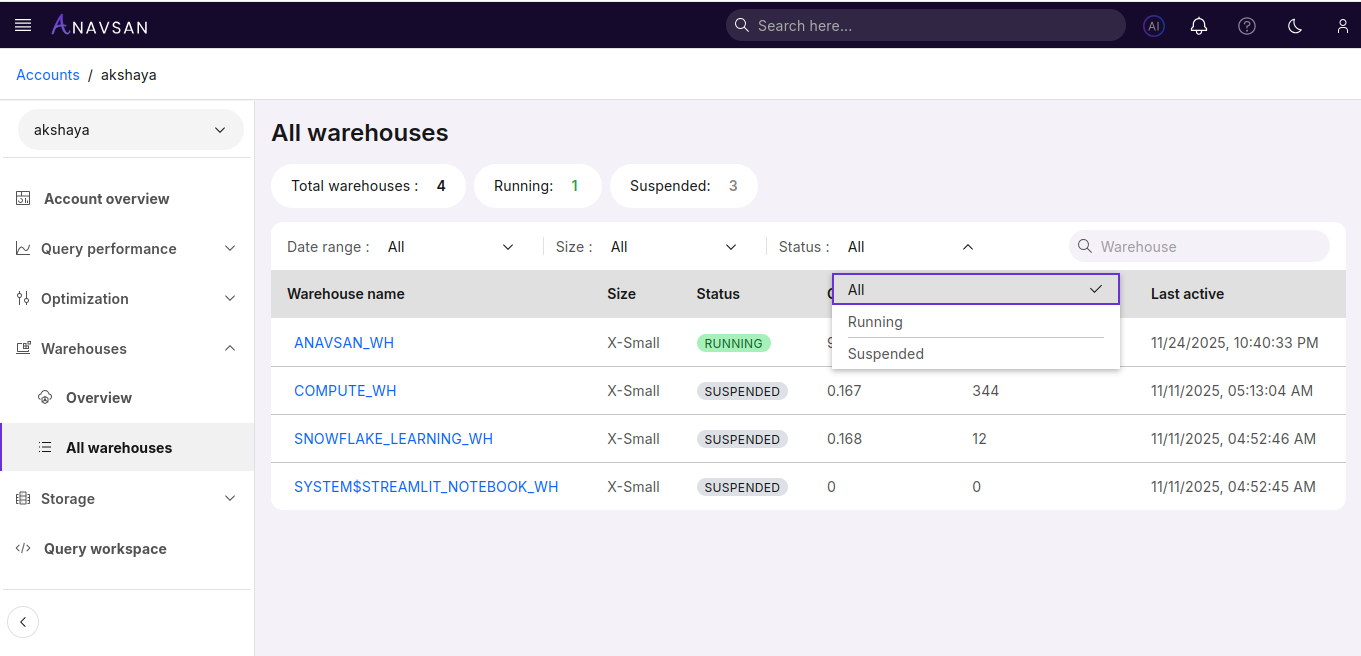
Options include:
- All — Show every warehouse
- Running — Only active warehouses
- Suspended — Only inactive warehouses
Helpful for operational triage.
Navigation to Warehouse Detail
Selecting a warehouse opens its dedicated Warehouse Detail page.
This drill-down enables deeper evaluation of high-spend or underperforming warehouses.
Key Benefits
The All Warehouses page provides:
- Clear visibility into the full compute inventory
- Direct comparison of warehouse cost and usage
- Efficient identification of optimization opportunities
- A unified starting point for warehouse-level FinOps governance
It helps teams understand compute distribution across the Snowflake account and supports informed decisions related to cost control, workload management, and warehouse configuration.