User Management
The User Management page provides a centralized view for admins to invite team members, monitor invitation status, and manage who has access to the Anavsan platform. This helps you control access, track active users, and ensure the right people are connected to your organization.It gives you complete control over who can access your Snowflake cost and performance data. FinOps can invite Data Engineers by email, see who has accepted their invitations, and track when users joined your organization.
Add User
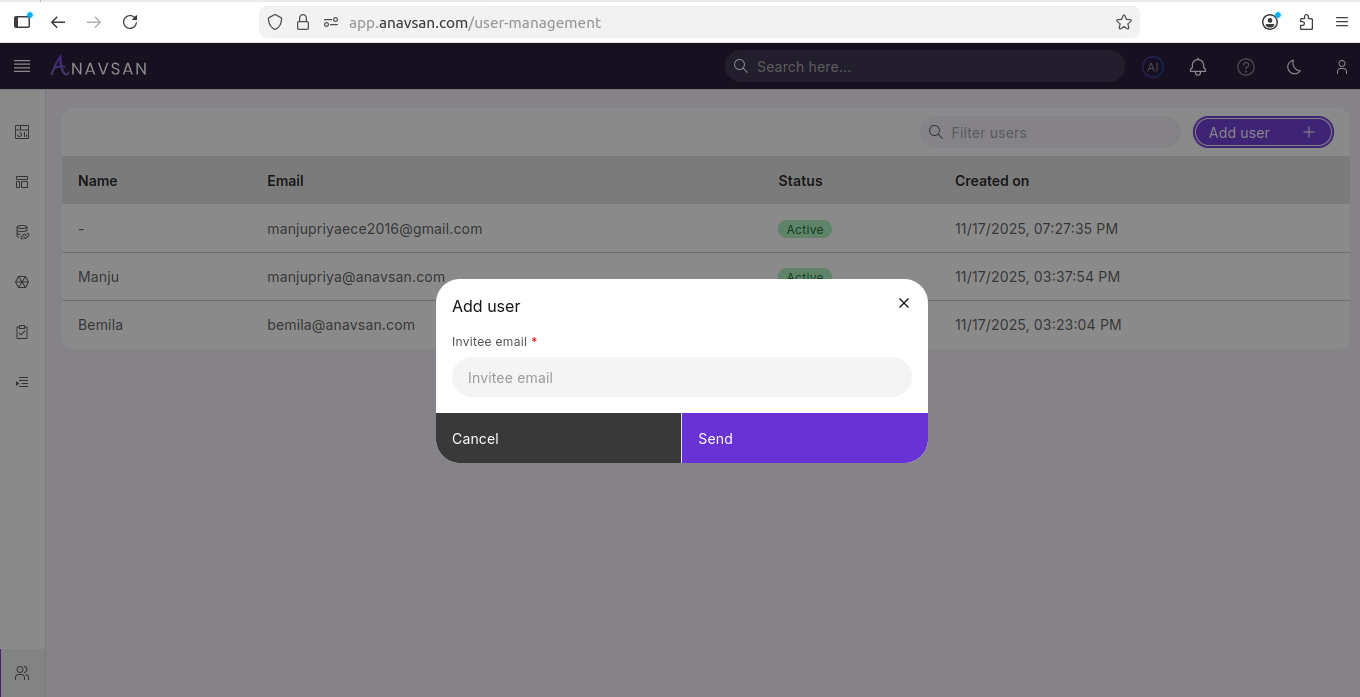
Clicking Add user opens a pop-up where you can invite a new user by entering their email address.
How it works
- Enter the invitee email
- Click Send to dispatch the invitation
- Click Cancel to close the pop-up without sending
Users List
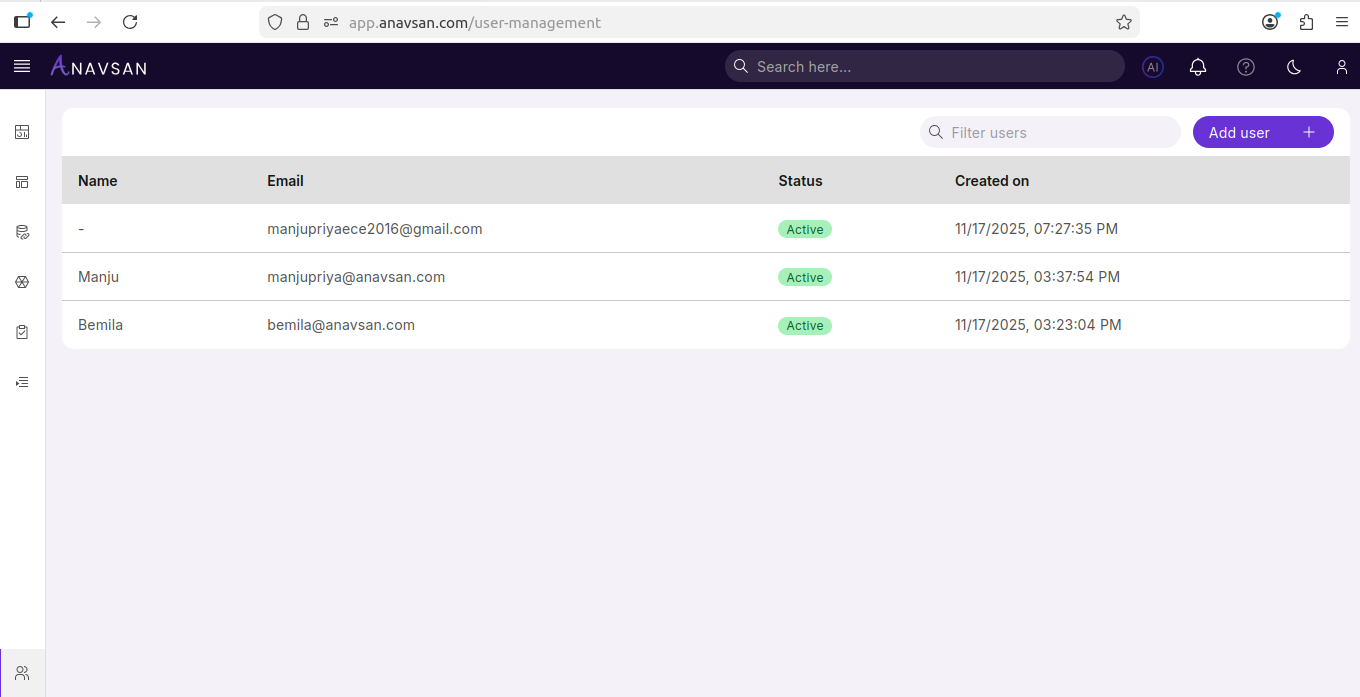
Once users are invited, they appear in a structured table.
Search Users
Use the Filter users search bar to quickly find users by name or email.
Sorting
You can sort the list by clicking the column headers:
- Name
- Created on
Table Columns
| Column | Description | Use Case |
|---|---|---|
| Name | Display name of the user | Identify the person associated with the account |
| Registered email address | Contact reference and invitation tracking | |
| Status | Current user status | See whether the user has accepted the invite |
| Created on | Invitation or creation timestamp | Track when access was granted |