Recommendations
The Recommendations feature provides instant, AI-driven insights from Anavsan AI to help you optimize your executed queries with ease and confidence. Powered by Anavsan's intelligent, this feature automatically highlights inefficiencies, performance bottlenecks, and potential cost drivers — all without requiring manual deep-dive analysis.
With Recommendations, you receive actionable suggestions tailored to your actual query usage, enabling you to improve performance, reduce unnecessary costs, and ensure your workloads remain efficient.
Why Use Recommendations?
Proactive Optimization Before Issues Escalate
Anavsan AI continuously monitors executed queries and proactively surfaces optimization opportunities — before they translate into higher costs or degraded performance. This empowers you to act early, preventing issues from impacting your applications or cloud bill.
Recommendation Highlights
- Automatic detection of query inefficiencies from Snowflake execution metadata
- Categorized insights by type (JOIN, TABLE_SCAN, AGGREGATION, etc.)
- Clear messages explaining the issue and actionable suggestions
- Filter and track recommendations by status (read/unread)
- Direct integration with Query Optimizer for immediate optimization
Recommendations Overview
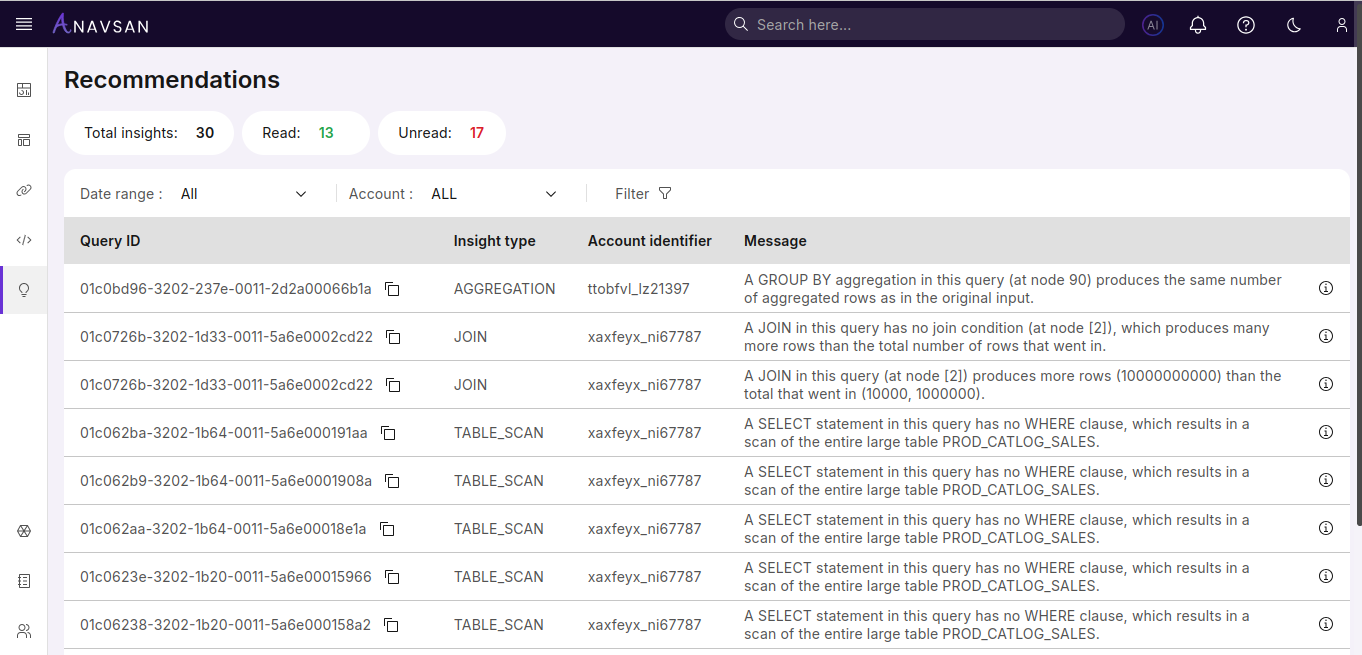
Navigating to the recommendations page provides a comprehensive view of all query insights with summary statistics and filtering capabilities.
Insight Summary
At the top of the page, you'll see summary statistics showing:
- Total insights — Total number of recommendations available
- Read — Number of recommendations you've already reviewed
- Unread — Number of new recommendations requiring attention
These counters help you track progress and prioritize which insights to review first.
Filtering Options
Use the filtering tools to narrow down recommendations based on your needs.
Date Range Filter
Filter recommendations by when they were generated:
- All — Shows all recommendations regardless of date
- 1D — Recommendations from the last 24 hours
- 7D — Recommendations from the past week
- 30D — Recommendations from the past month
- Custom — Select specific start and end dates
Account Filter
Filter recommendations by Snowflake account:
- ALL — Shows recommendations from all connected accounts
- Select a specific account to view only its recommendations
Advanced Filters
Click the Filter button to access additional filtering options:
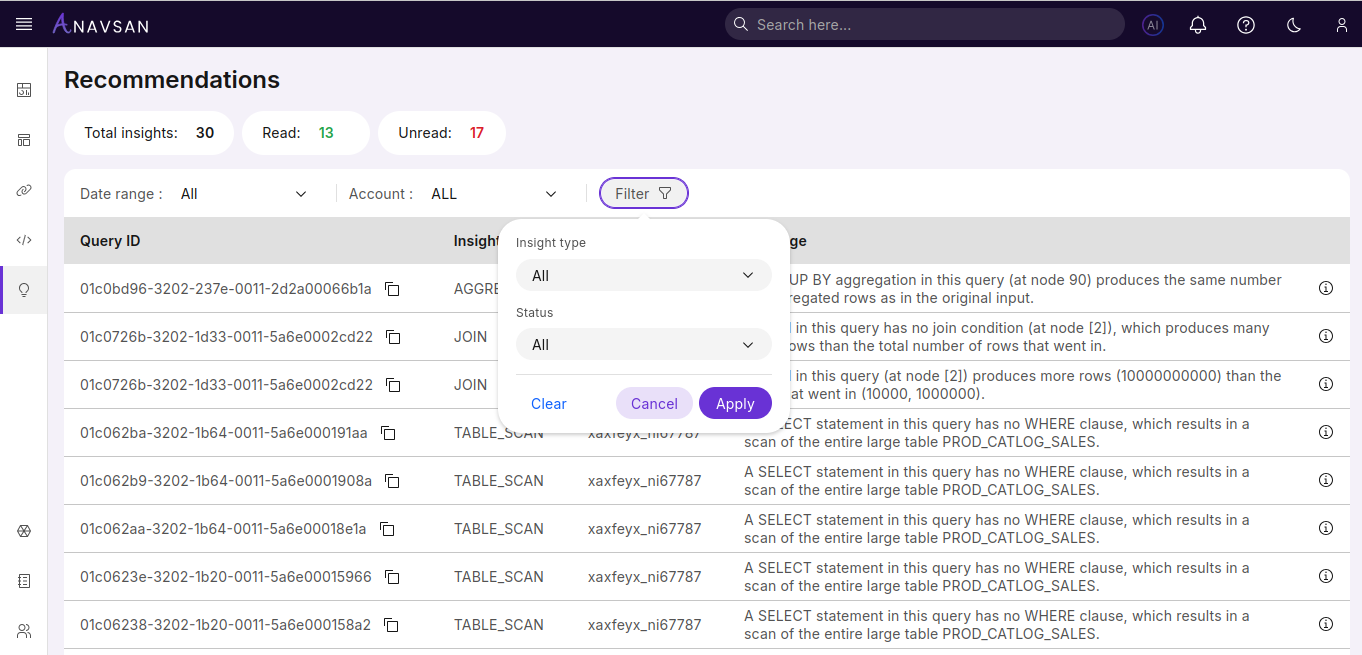
Insight Type Filter
Filter by the type of recommendation:
- All — Shows all insight types
- AGGREGATION — Issues with GROUP BY or aggregation operations
- JOIN — Join-related performance problems
- TABLE_SCAN — Full table scan issues and missing filters
Status Filter
Filter by read status:
- All — All recommendations
- Read — Only reviewed recommendations
- Unread — Only new, unreviewed recommendations
After selecting your filters, click Apply to update the results, or Clear to reset all filters.
Recommendations Table
The main table displays all recommendations with the following columns:
| Column | Description |
|---|---|
| Query ID | Unique identifier for the query. Click to copy the query ID to your clipboard. |
| Insight type | Category of the recommendation (AGGREGATION, JOIN, TABLE_SCAN, etc.) |
| Account identifier | Snowflake account where the query was executed |
| Message | Detailed description of the issue found in the query |
Click any row to view the full recommendation details.
Recommendation Details
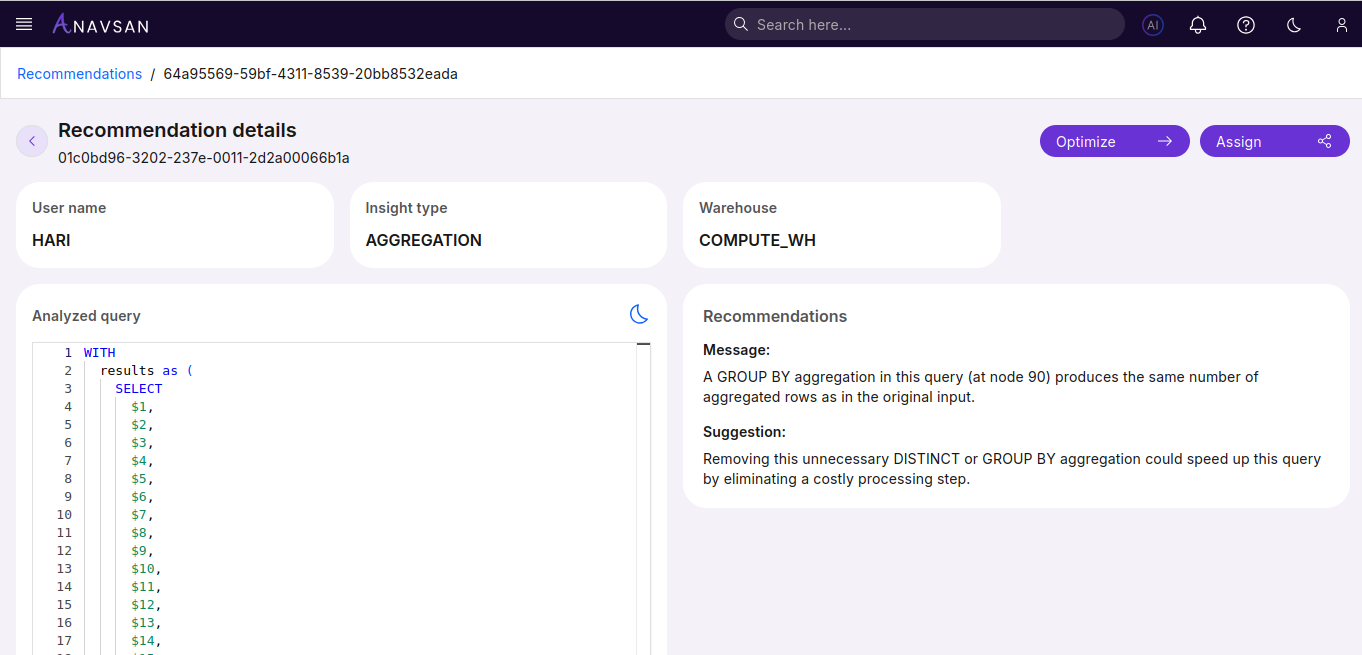
Clicking on any recommendation opens the detailed view with complete information and action options.
Action Buttons
Two primary action buttons enable immediate response to recommendations:
| Button | Description |
|---|---|
| Optimize | Opens the Query Optimizer with this query pre-loaded for immediate optimization |
| Assign | Assign this query to a team member for review and optimization |
Analyzed Query
The Analyzed Query section shows the exact SQL query that Anavsan AI evaluated. When a user selects a query from the Recommendations list, this panel displays the full analyzed query in a readable, formatted view.
This section simply presents the raw SQL. It does not include insights or explanations. Users can review the original query structure, validate what was analyzed, and reference it while reviewing the AI suggestions on the right.
Recommendations
The Recommendations panel provides the AI-generated insights for the selected query. It highlights the key issue detected and offers a clear, actionable suggestion to optimize the query.
Message
Explains what part of the query is inefficient, why it matters, and where the issue occurs in the execution.
Suggestion
Provides a practical improvement the user can apply—such as removing unnecessary operations or restructuring the query—to enhance performance and reduce cost.
Workflow Integration
Recommendations integrate seamlessly with other Anavsan features:
Query Optimization
Use the Optimize button to immediately open the query in the Query Optimizer. This allows you to:
- View the recommendation details
- Click Optimize to load the query
- Review AI-generated optimization suggestions
- Apply and test optimizations
- Save the optimized query
Query Assignment
Use the Assign button to delegate query optimization to team members:
- Review the recommendation
- Click Assign to open the assignment dialog
- Select a team member and set priority
- Add context or instructions
- Track progress in Assigned Queries
Best Practices
- Assign recommendations to the developers who own the queries
- Include context in assignment messages
- Track resolution progress using the status filters