User Information
The User Information page displays your personal profile details and allows you to update editable fields. This page provides a centralized view of your account information within the Anavsan platform.
Viewing User Information
When you navigate to the User Information page, you can view all your profile details in a read-only format.
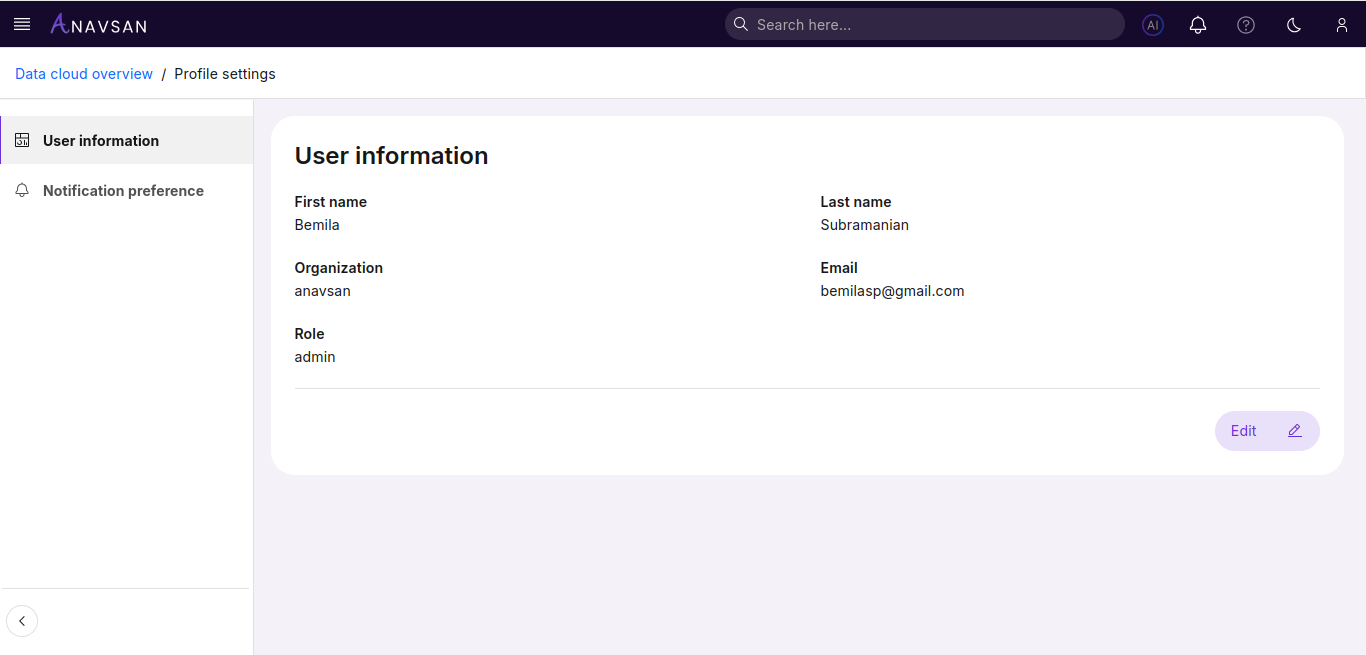
Displayed Information
The following information is displayed on your profile:
| Field | Description | Editable |
|---|---|---|
| First name | Your personal or given name | Yes |
| Last name | Your surname or family name | Yes |
| Organization | Your organization or company name | No |
| Your email address used for login | No | |
| Role | Your assigned role in the system | No |
Field Details
Editable Fields
- First name - Can be updated
- Last name - Can be updated
Disabled Fields
- Organization - Your organization name
- Email - Your login email address
- Role - Your permission level (e.g., admin)
Editing User Information
To update your editable profile information, click the Edit button located at the bottom-right of the user information section.
Edit Mode
When you click Edit, the page switches to edit mode, allowing you to modify your name fields.
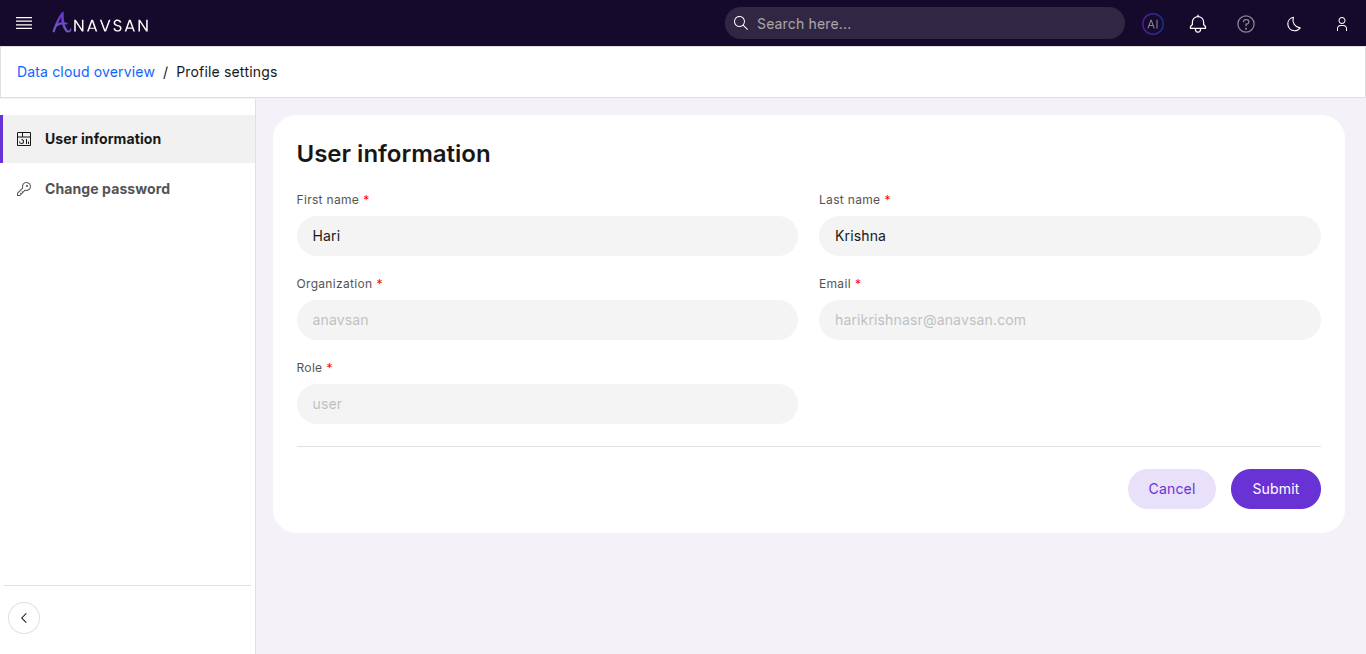
In edit mode:
- Editable Fields - First name and Last name fields become active textboxes where you can type changes
- Disabled Fields - Organization, Email, and Role fields remain disabled (shown in gray)
Editing Your Information
Step 1: Enter Edit Mode
- Click the Edit button at the bottom-right of the user information section
- The form switches to edit mode with editable fields enabled
Step 2: Modify Your Details
- Click into the First name field to update your first name
- Click into the Last name field to update your last name
- Make any necessary changes to these fields
- Note: You cannot edit Organization, Email, or Role fields
Step 3: Save or Cancel
- Click Submit to save your changes
- Your updated information will be saved to your profile
- The page returns to view mode showing your updated details
- Click Cancel to discard changes
- Any modifications are discarded
- The page returns to view mode with original values