Notification preferences
The Notification preferences page allows admins to configure how users receive notifications for query assignments and query insights.
Notifications can be enabled through Email, Slack, or Microsoft Teams.
Notification preferences overview
This view displays all available notification channels and their respective settings.
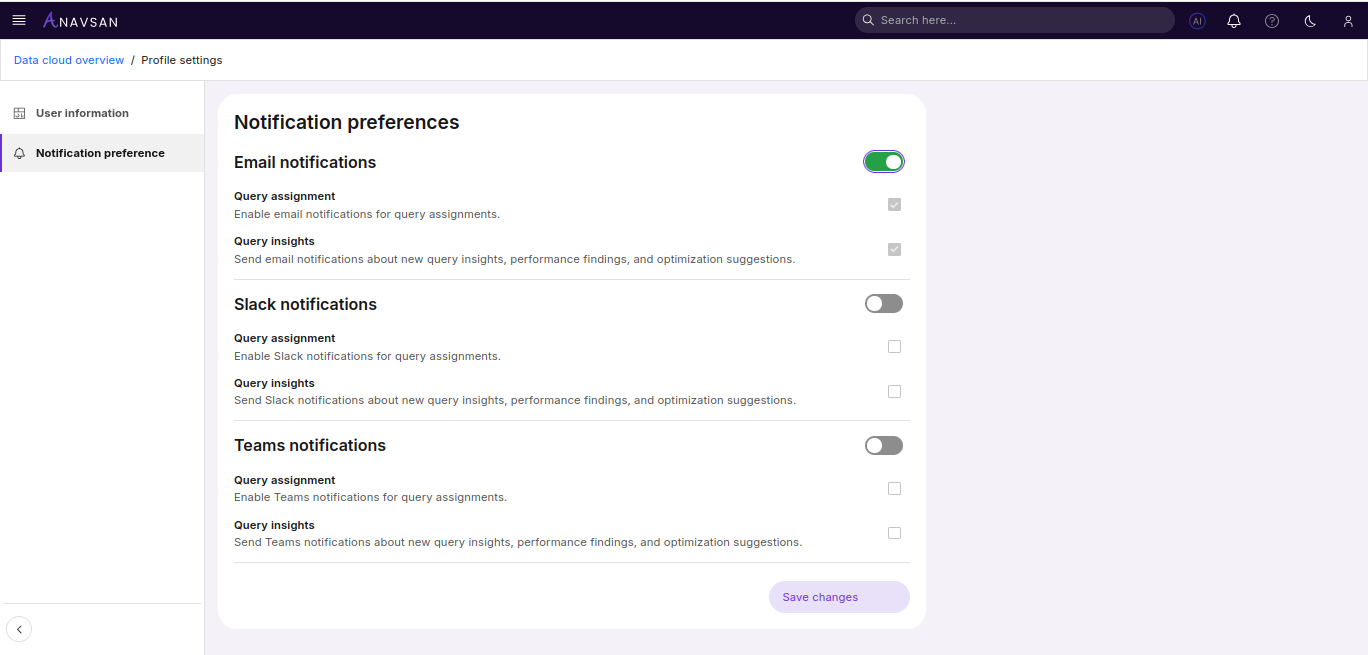
Email notifications
When enabled, email notifications are sent for:
- Query assignment – User can receive an email when a query is assigned by admin.
- Query insights – Receive an email for new query insights and optimization suggestions.
These options are automatically enabled when Email notifications are turned on.
Slack notifications
Slack notifications allow sending alerts to a Slack channel using a webhook URL.
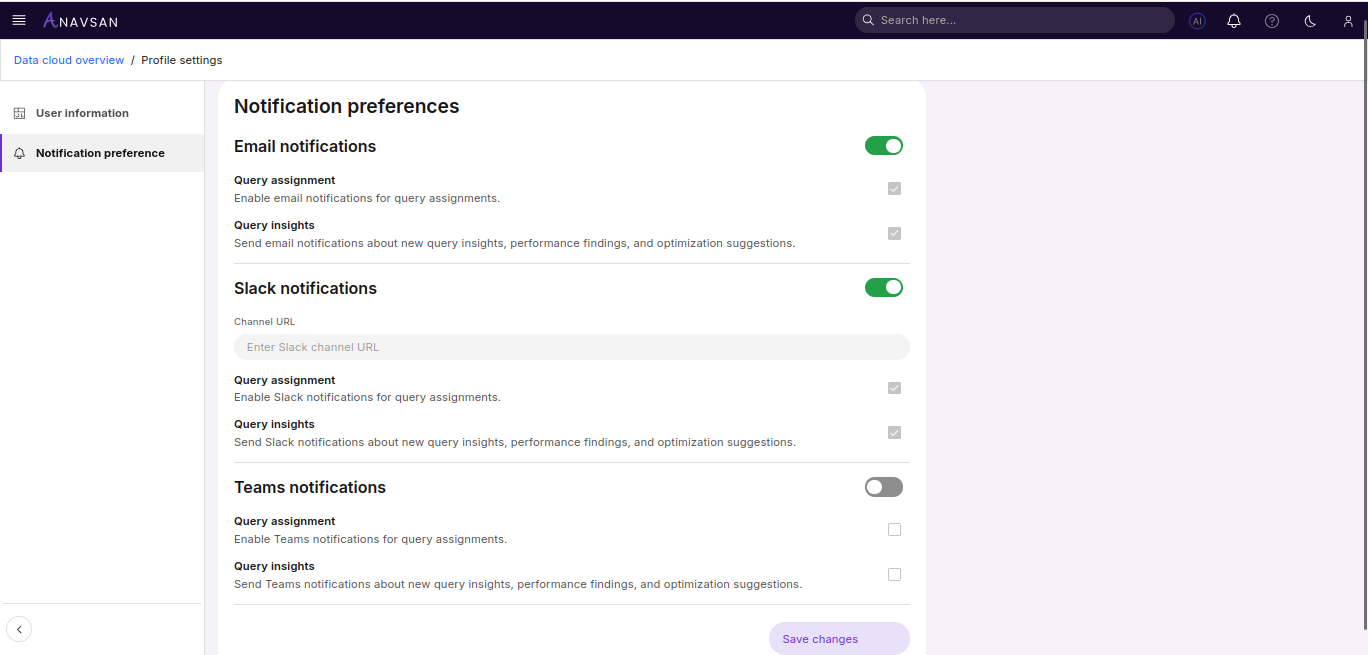
Channel URL
Enter a valid Slack channel webhook URL to enable Slack notifications.
When enabled, Slack notifications are sent for:
- Query assignment – User can receive a Slack message when a query is assigned by admin.
- Query insights – Receive a Slack message for new insights and optimization suggestions.
These options are automatically enabled when Slack notifications are turned on.
Teams notifications
Teams notifications allow sending alerts to a Microsoft Teams channel using a webhook URL.
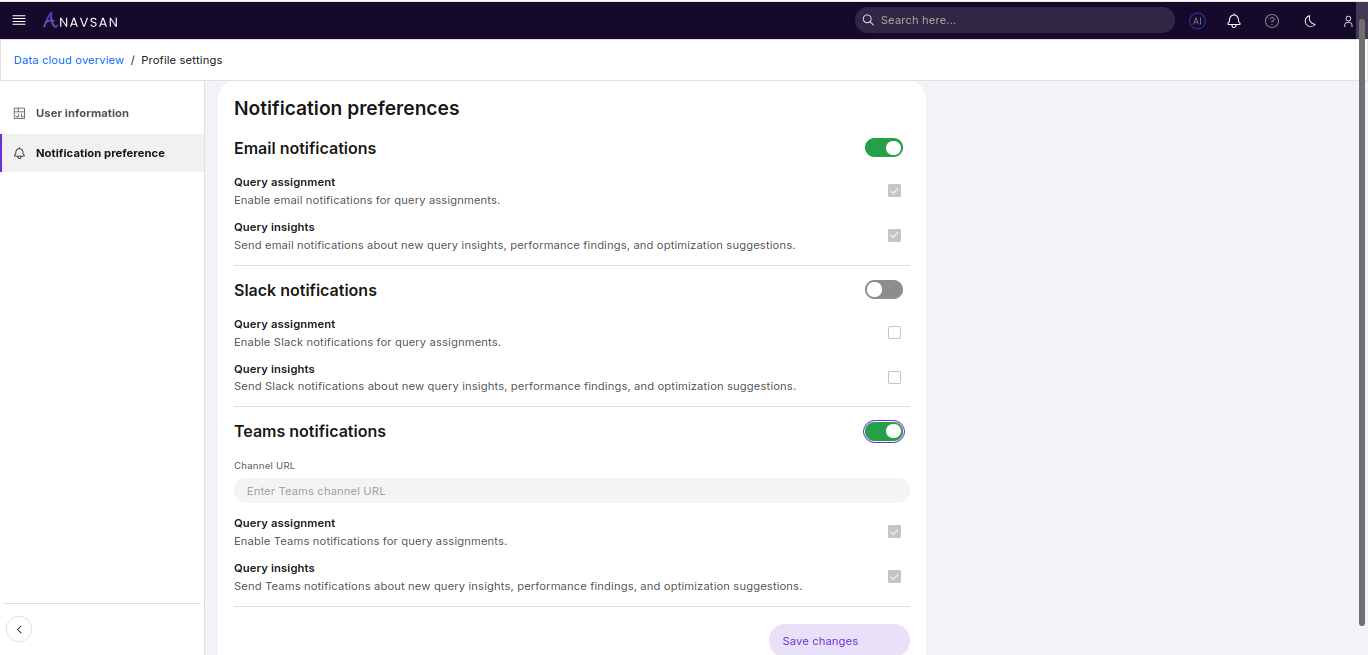
Channel URL
Enter a Microsoft Teams channel webhook URL to enable Teams notifications.
When enabled, Teams notifications are sent for:
- Query assignment – User can receive a Microsoft Teams message when a query is assigned by admin.
- Query insights – Receive a Microsoft Teams message for new insights and optimization suggestions.
These options are automatically enabled when Teams notifications are turned on.
Saving changes
After updating any notification settings, click Save changes to apply your preferences.