Unused Tables
The Unused Tables feature provides complete visibility into dormant data assets that silently drain your Snowflake storage budget. This powerful analysis tool identifies tables sitting idle and untouched, consuming valuable storage credits without delivering business value. By surfacing comprehensive insights into unused tables—including exact retention periods, storage sizes, table types, and cumulative costs—FinOps teams gain the transparency needed to make confident decisions about reclaiming wasted resources.
Why Unused Tables Monitoring Matters?
Eliminate Hidden Storage Costs Consuming Your Budget
Storage costs accumulate silently from tables created for one-time analyses, test data, or deprecated workloads. The Unused Tables feature exposes this hidden cost drain with transparent insights: exact idle days, complete table lists across databases, total storage consumed, and table type analysis (PERMANENT, TRANSIENT, TEMPORARY) including Time Travel and Fail-safe allocations. Drop or convert unused tables to directly reduce storage consumption and monthly credits spent—reclaiming idle storage delivers substantial annual savings.
Unused Tables List
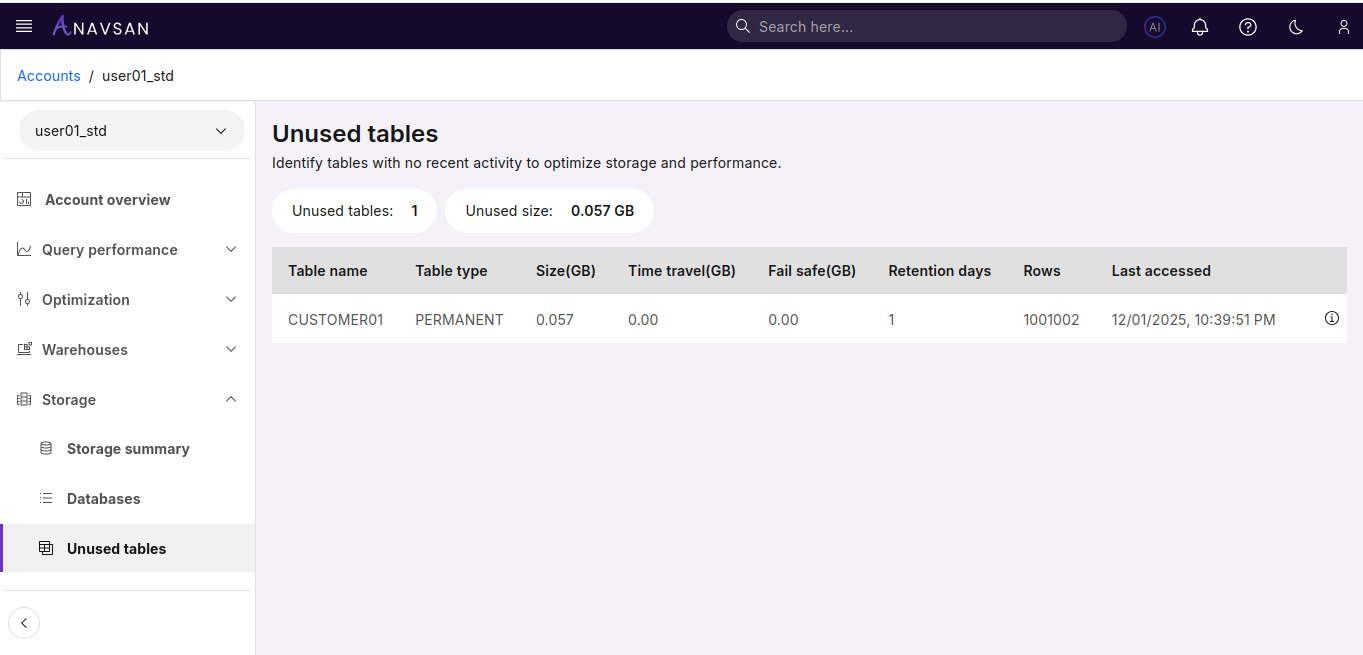
Table Statistics
The top section displays key metrics:
- Unused tables - Total number of tables with no recent activity
- Unused size - Combined storage size of all unused tables (displayed in GB)
Table Columns
| Column | Description | Use Case |
|---|---|---|
| Table name | Name of the unused table | Identify the table for investigation or cleanup |
| Table type | Type of table (PERMANENT, TRANSIENT, TEMPORARY) | Understand table storage behavior |
| Size(GB) | Storage consumed by the table in gigabytes | Prioritize larger tables for cleanup to maximize storage savings |
| Time travel(GB) | Storage used by time travel data in gigabytes | Understand additional storage overhead from time travel |
| Fail safe(GB) | Storage used by fail-safe data in gigabytes | Understand fail-safe storage bytes |
| Retention days | Number of days Time Travel is enabled | Assess Time Travel settings to reduce retention and lower storage costs |
| Rows | Number of rows in the table | Assess table size by record count |
| Last accessed | Timestamp of the last time the table was accessed | Verify when the table was last used |
Available Actions
Click the info icon (ⓘ) at the end of each row to view detailed table insights.
Table Insight Details
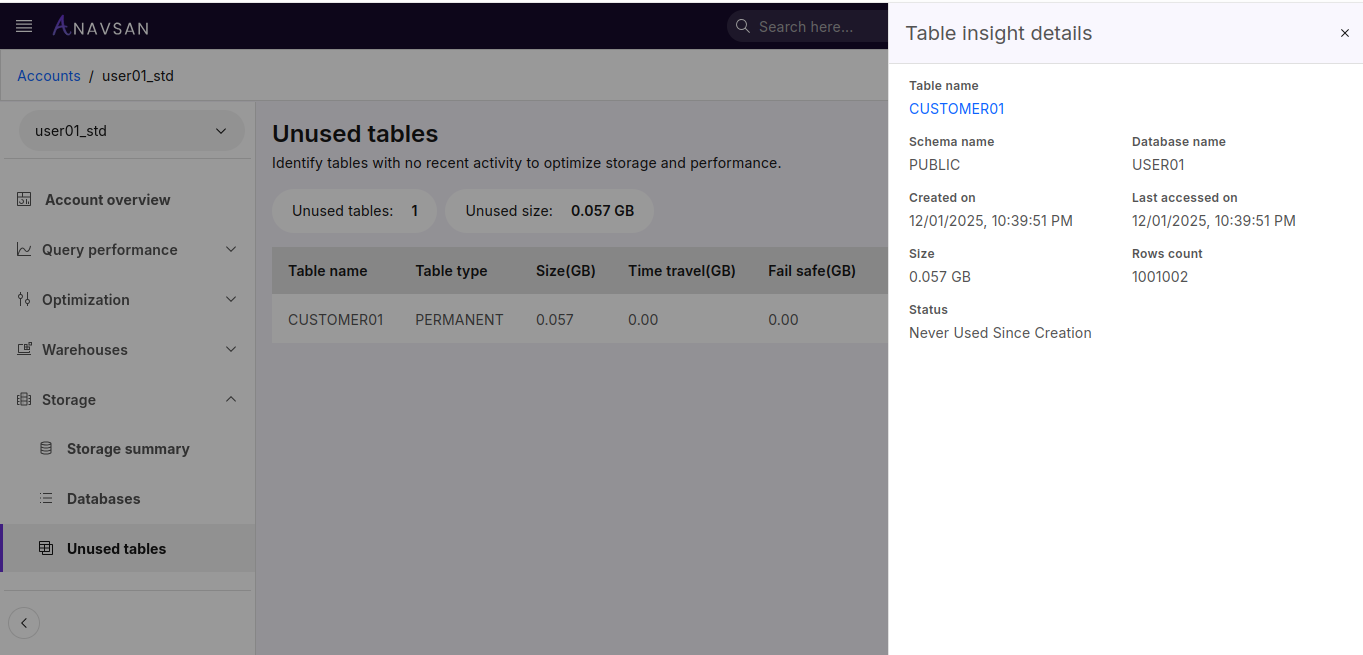
The Table insight details panel provides complete information about the selected unused table.
Table Information
| Field | Description |
|---|---|
| Table name | Name of the table |
| Schema name | Schema associated with the table |
| Database name | Database associated with the table |
| Created on | Timestamp when the table was created |
| Last accessed on | Timestamp of the last access |
| Size | Storage consumed by the table |
| Rows count | Number of rows in the table |
| Status | Usage status (e.g., "Never Used Since Creation") |