Accounts List
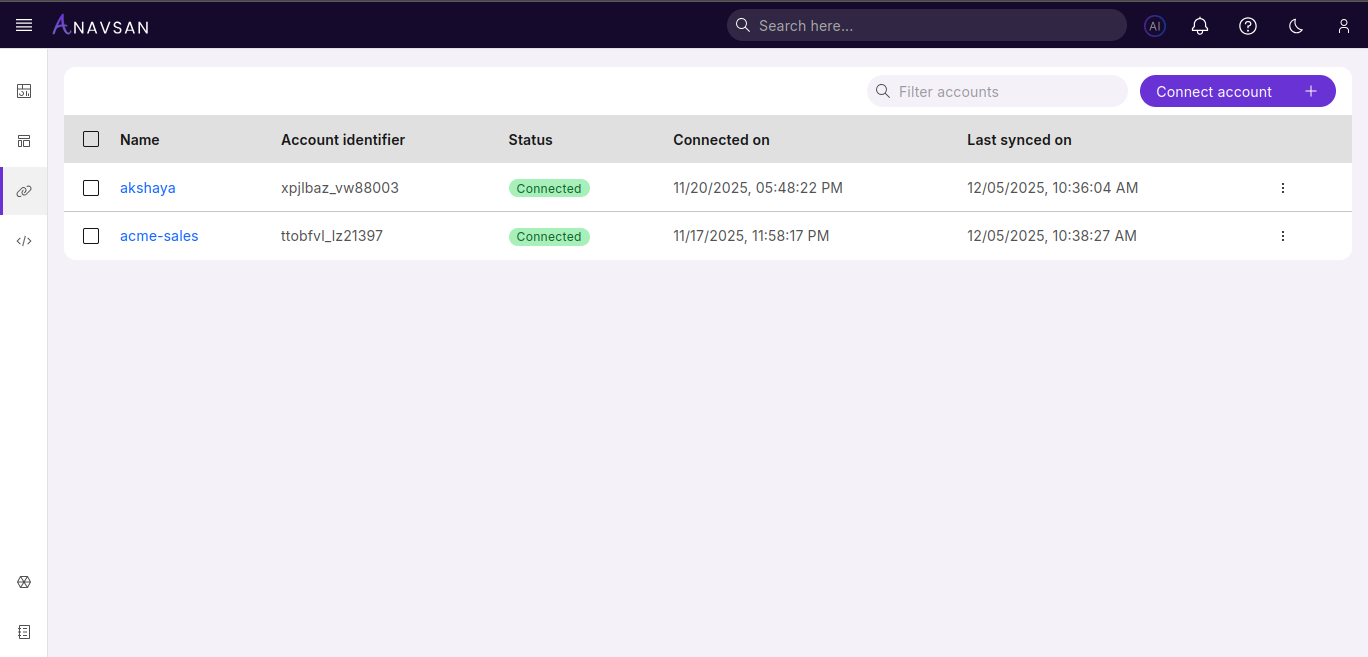
This page displays all your connected Snowflake accounts in a centralized table view and helps you manage and monitor multiple Snowflake connections.
Connected Snowflake Accounts
Once you connect Snowflake accounts, the table populates with account details and metrics.
Search and Filter
- Use the Filter accounts search bar to find specific accounts by name or identifier
Sort Accounts
- Click the Name column header to sort accounts alphabetically
Select Accounts
- Use checkboxes to select multiple accounts
- Click Remove in the toolbar to delete selected accounts
Table Columns
| Column | Description | Use Case |
|---|---|---|
| Name | Account display name | Click to view account details and access monitoring tools |
| Account Identifier | Unique Snowflake account identifier | Reference specific account for API calls or support requests |
| Status | Current connection status | Verify account connectivity and troubleshoot connection issues |
| Connected On | Date when account was connected | Track account age and review historical connection timeline |
| Last synced on | Timestamp of the most recent data synchronization | Verify data freshness and track when account information was last updated |
Actions Menu
Click the three-dot menu icon at the end of each row to access:
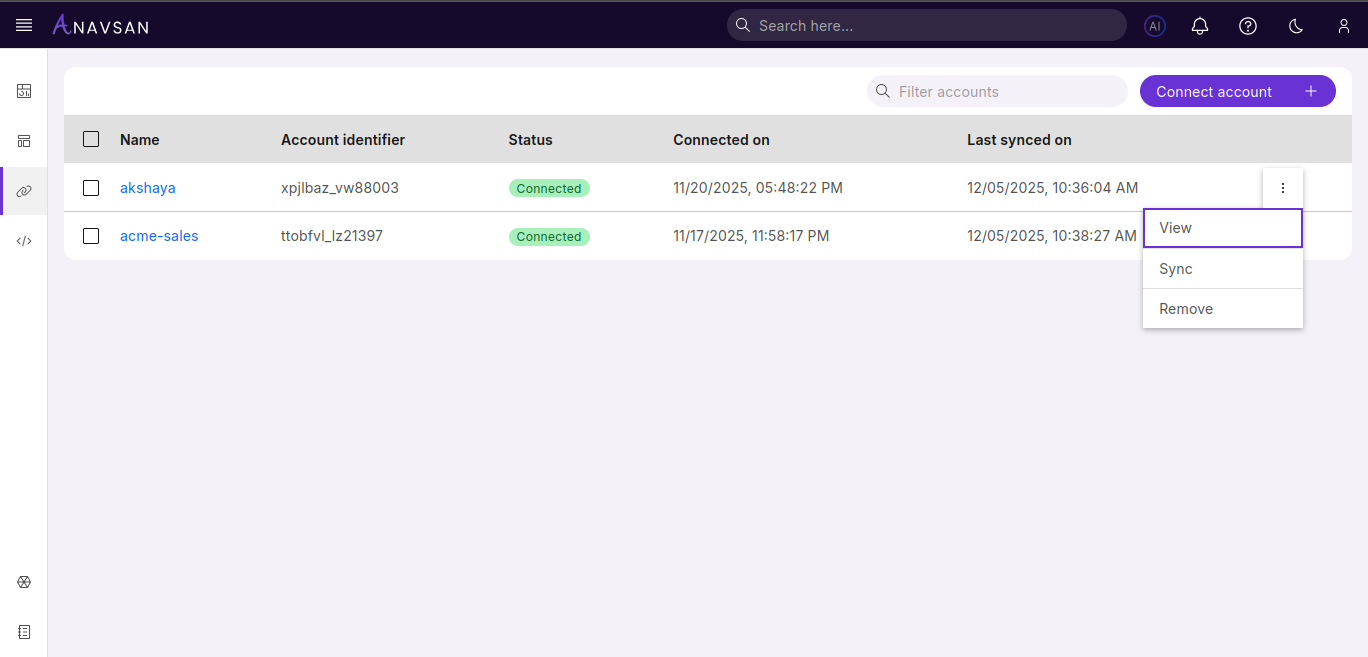
- View - Opens the Account Overview page
- Sync - Manually triggers immediate data synchronization from Snowflake to refresh account metrics and query data
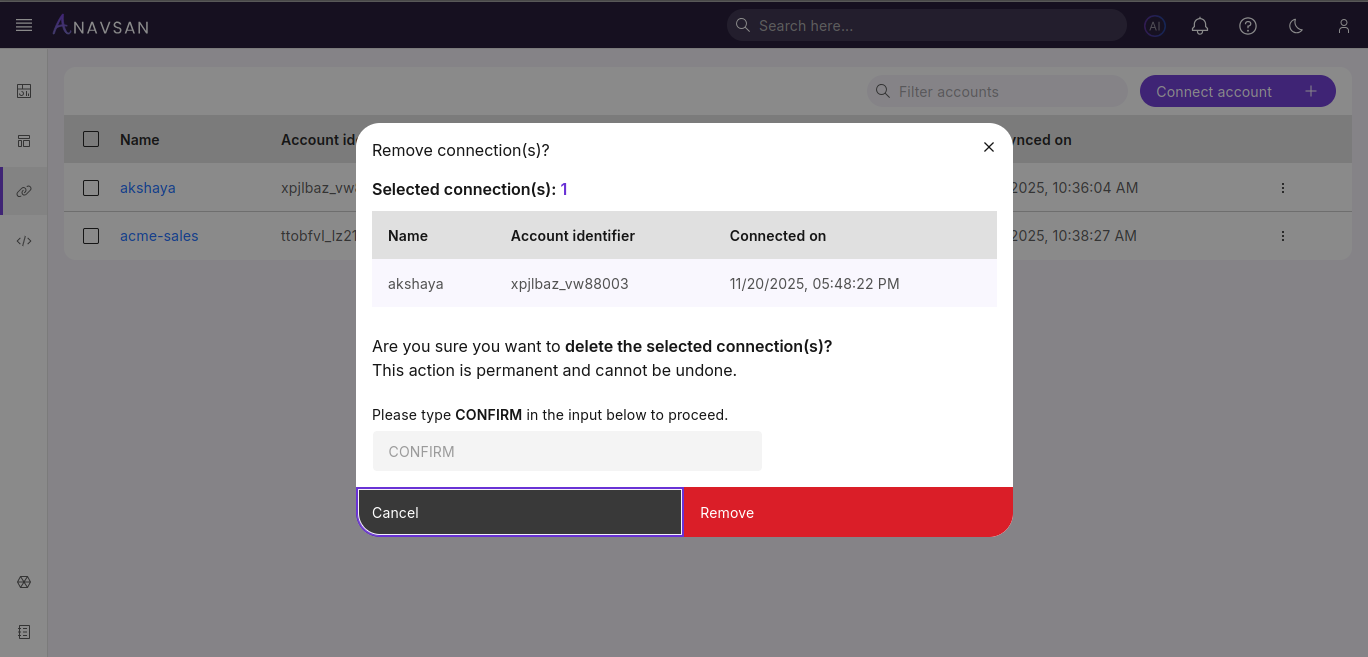
- Remove - Opens a confirmation pop-up to delete the account
Remove Confirmation
When removing an account, a pop-up appears to confirm the action.
Next Steps
Click on any account name in the list to navigate to the Account Details page. From there, you can access comprehensive monitoring and analysis tools including query performance metrics, cost breakdowns, optimization recommendations, and detailed usage insights for that specific account.