Assigned Queries
The Assigned Queries page provides Data Engineers with a task list of all queries assigned to them for optimization or investigation. Each assignment includes priority levels, context notes, and direct access to query details, helping engineers focus on the most critical performance issues and track their resolution progress.
Why Assigned Queries?
Centralized Task Management for Query Optimization
Assigned Queries provides a dedicated workspace where Data Engineers receive prioritized optimization tasks from FinOps. Each assignment includes the query ID, priority level, context notes explaining why it needs attention, and the ability to track your progress by updating status. This helps you focus on the most impactful performance improvements first and maintain a clear record of resolved issues.
Assigned Queries List
When assigned queries exist, they appear in a structured table with summary counts at the top.
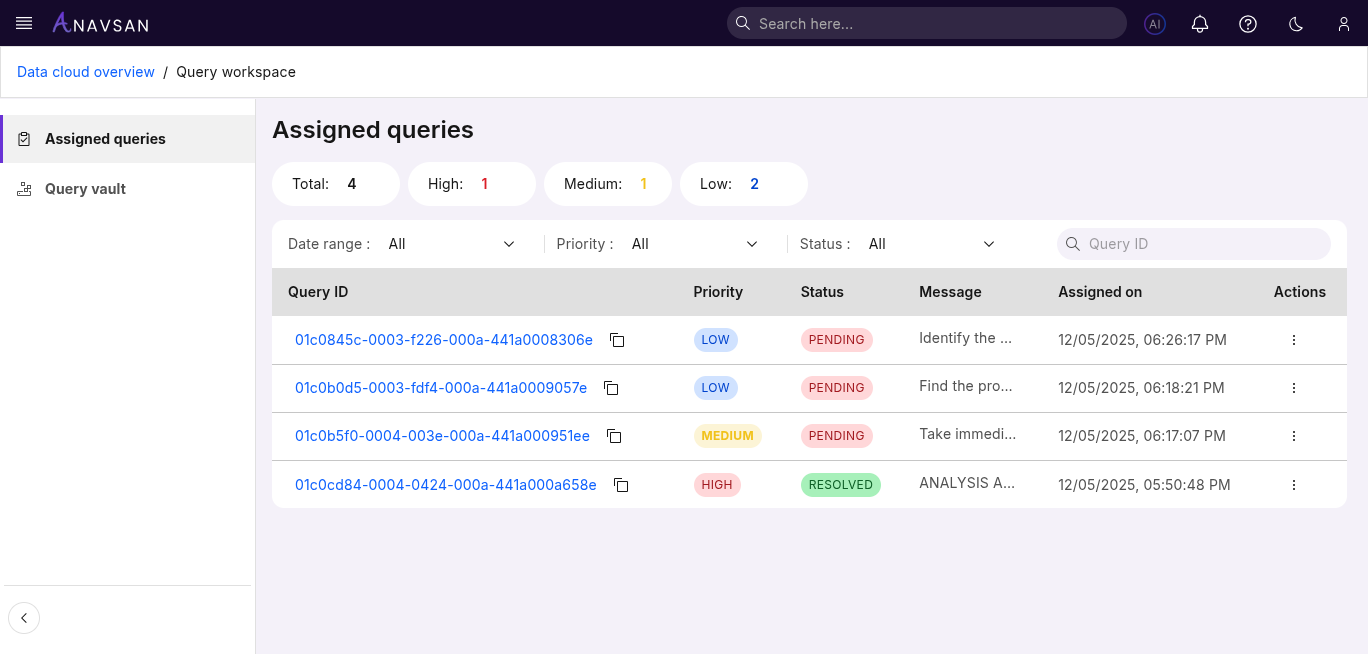
Query Counts
Badges show how many queries are assigned by priority:
- Total — Total number of assigned queries
- High — High-priority items requiring urgent attention
- Medium — Moderately important items
- Low — Lower-impact or long-term items
These counts help users understand workload distribution at a glance.
Table Columns
The table contains key details about each assigned query.
| Column | Description | Use Case |
|---|---|---|
| Query ID | Unique identifier for the query. Click to view details. | Quickly open the query to review execution details. |
| Priority | Priority level (High / Medium / Low). | Identify which tasks require faster action. |
| Status | Current state (Pending / Resolved). | Track progress of assigned work. |
| Message | Notes added during assignment. | Provide context or instructions. |
| Assigned on | Date the query was assigned. | Track aging and workload timing. |
Filters
Filters help narrow the list to focus on relevant assigned queries.
Date Range Filter
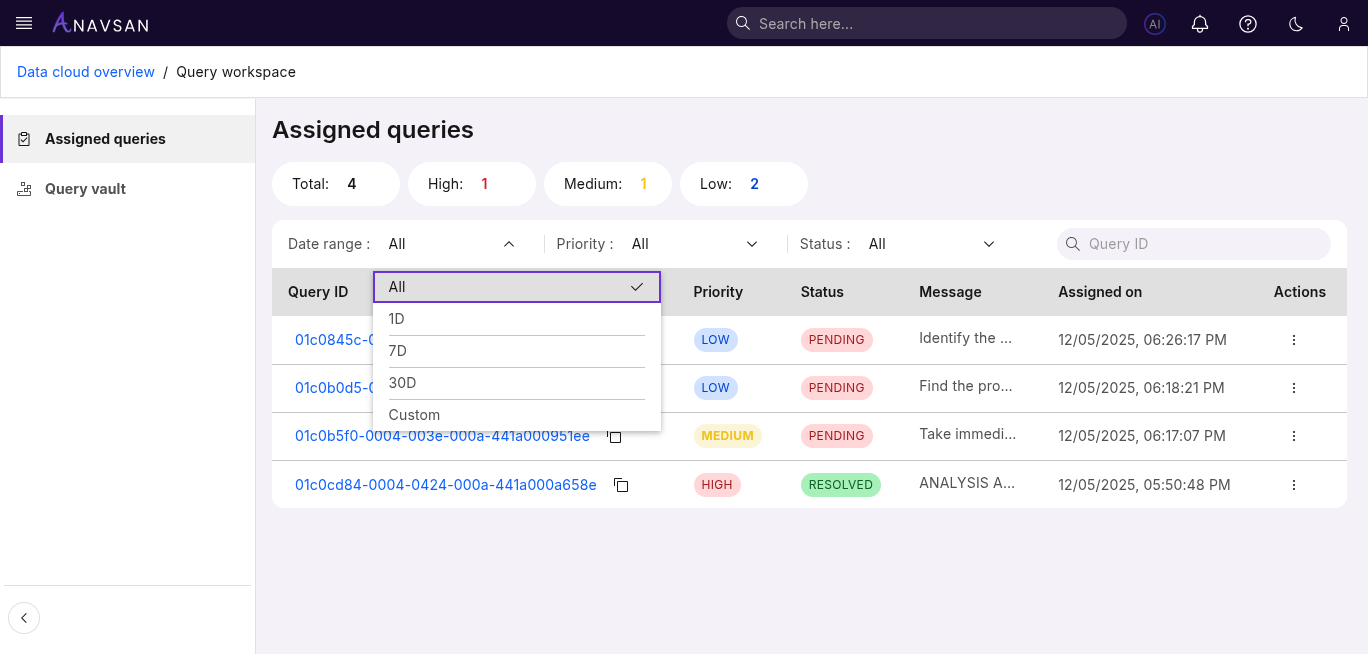
Choose from preset or custom date ranges:
- All — Shows all assigned queries
- 1D — Assignments from the last 24 hours
- 7D — Assignments from the past week
- 30D — Assignments from the past month
- Custom — Select a custom start and end date
Priority Filter
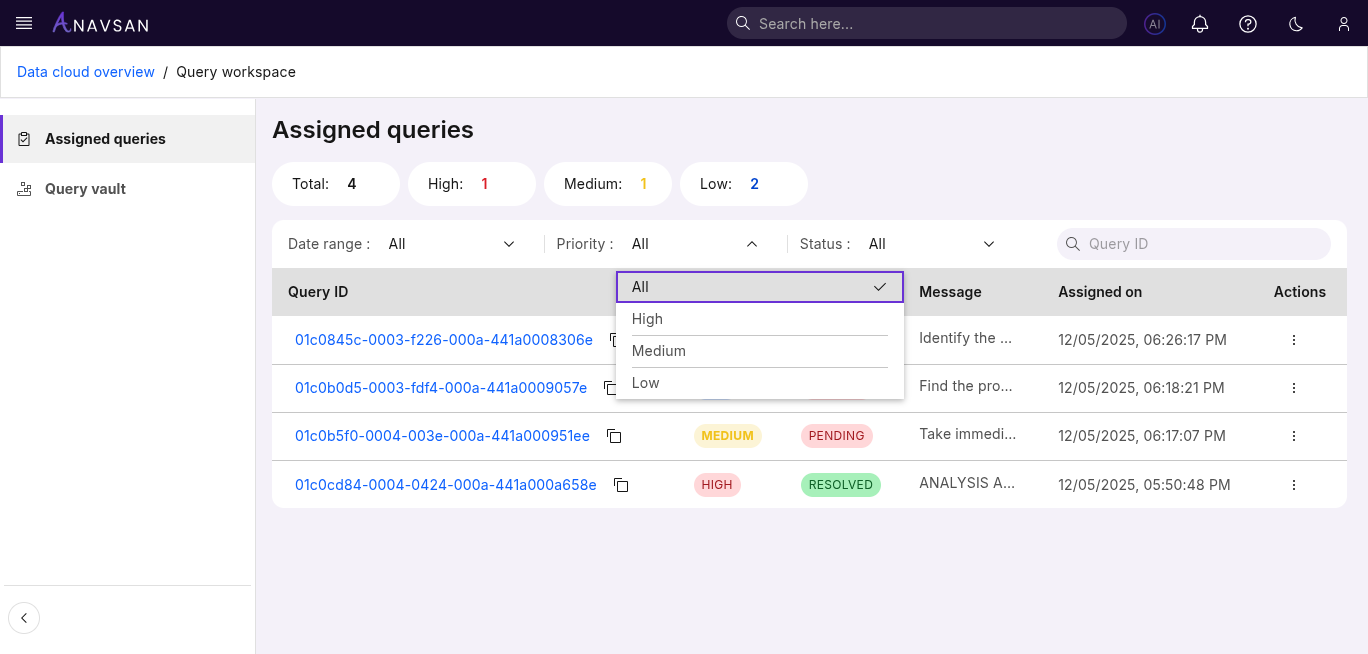
Filter assigned queries by priority:
- All — Shows all priorities
- High — Most urgent items
- Medium — Standard priority tasks
- Low — Low-impact or routine tasks
Short and clear — helps sort by urgency.
Status Filter
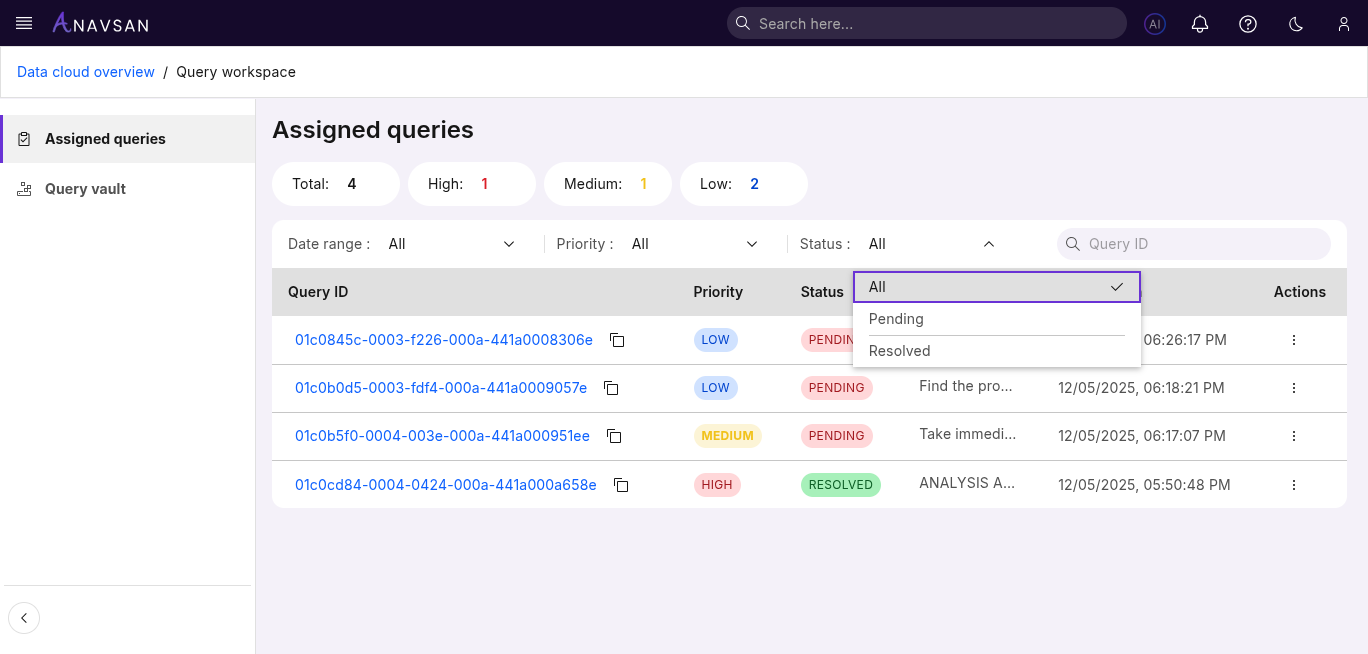
Options include:
- All — All statuses
- Pending — Work not yet completed
- Resolved — Completed assignments
Useful for tracking progress.
Query ID Search
A simple search bar lets you quickly find a query by Query ID.
Ideal for locating a specific assignment instantly.
Sorting
The following columns support sorting to help organize the list:
- Priority
- Status
- Assigned on
Click a column header to toggle ascending or descending order.
Actions
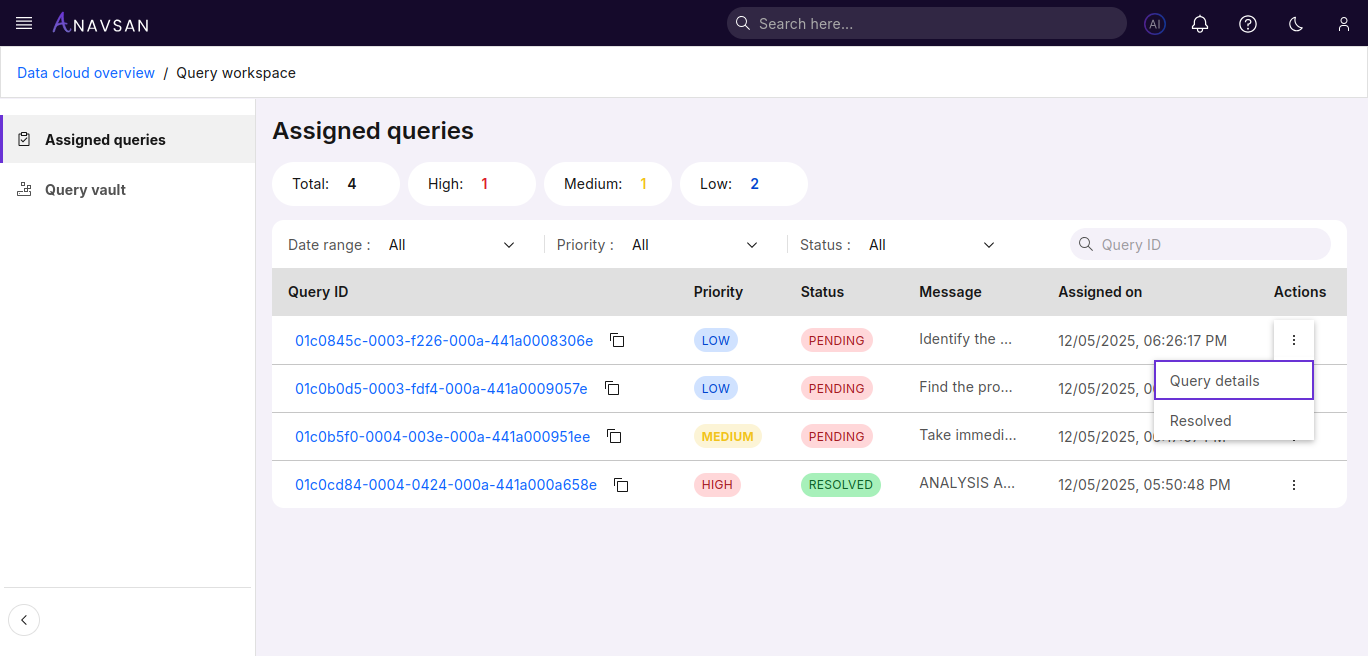
Each assigned query provides two key actions:
Query details
Use Query details to open and view the complete information of the selected query.
Status update (Pending / Resolved)
This option allows you to quickly change the Assigned Query status between Pending and Resolved.