Query Optimizer
The Anavsan Query Optimizer takes your SQL queries to the next level after insights from the Query Analyzer. Leveraging Anavsan AI, it performs a comprehensive study of your query, identifying every inefficient objects and operations that drives up Snowflake credit usage. By intelligently restructuring your SQL, the Optimizer produces a fully refined version that preserves functional correctness while minimizing resource consumption, improving execution speed, and reducing costs. The result is an optimized query designed to maximize performance and deliver measurable cost savings.
Why Query Optimizer?
After Query Analyzer identifies that a query is expensive or slow, the critical question becomes: "What specific changes should we make?"
The Query Optimizer answers this question by:
- Generating multiple optimization candidates - Anavsan AI explores wide range of optimization strategies and ranks the most impactful recommendations to deliver maximum value for your queries.
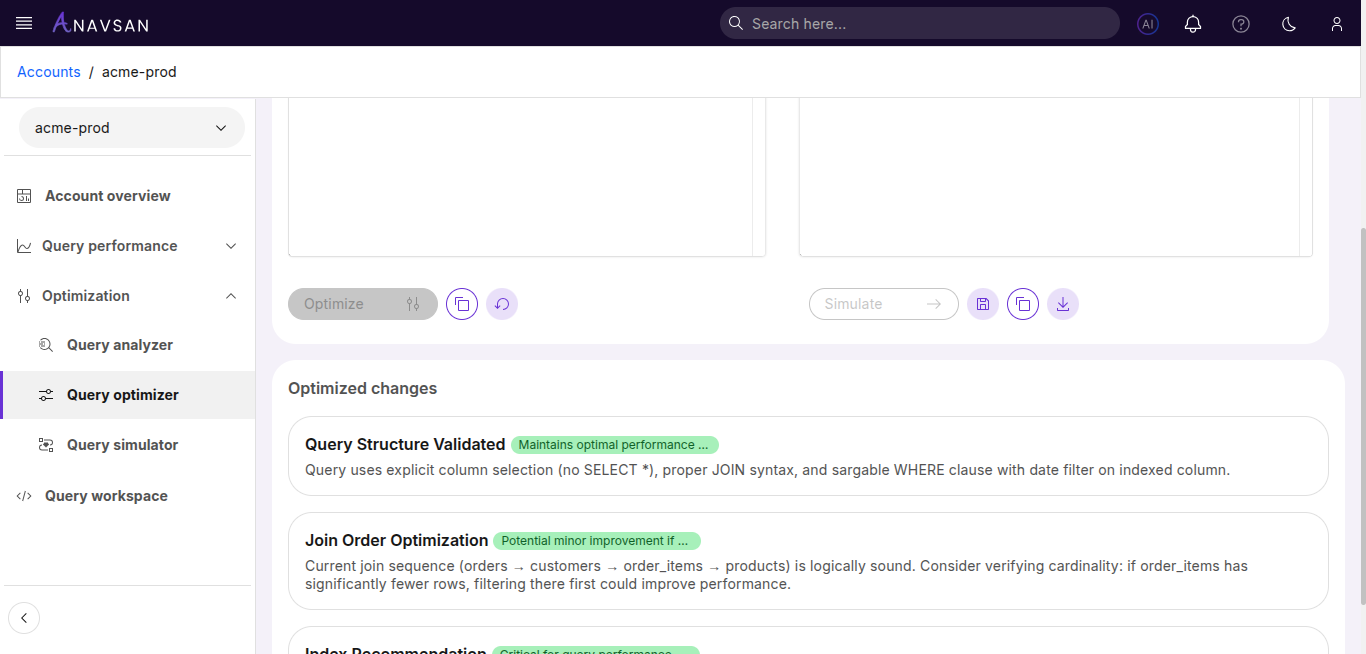
- Explaining the Changes - Plain-language descriptions of why each optimization were made
With Anavsan Query Optimizer:
- AI systematically evaluates all feasible optimizations
- Recommendations are ranked by projected impact (highest ROI first)
Without Anavsan Query Optimizer:
- Data Engineers must manually research optimization techniques
- No data-driven prioritization of which optimization to implement first
- Implementation feedback loop is slow (test, measure, iterate)
Access Query Optimizer
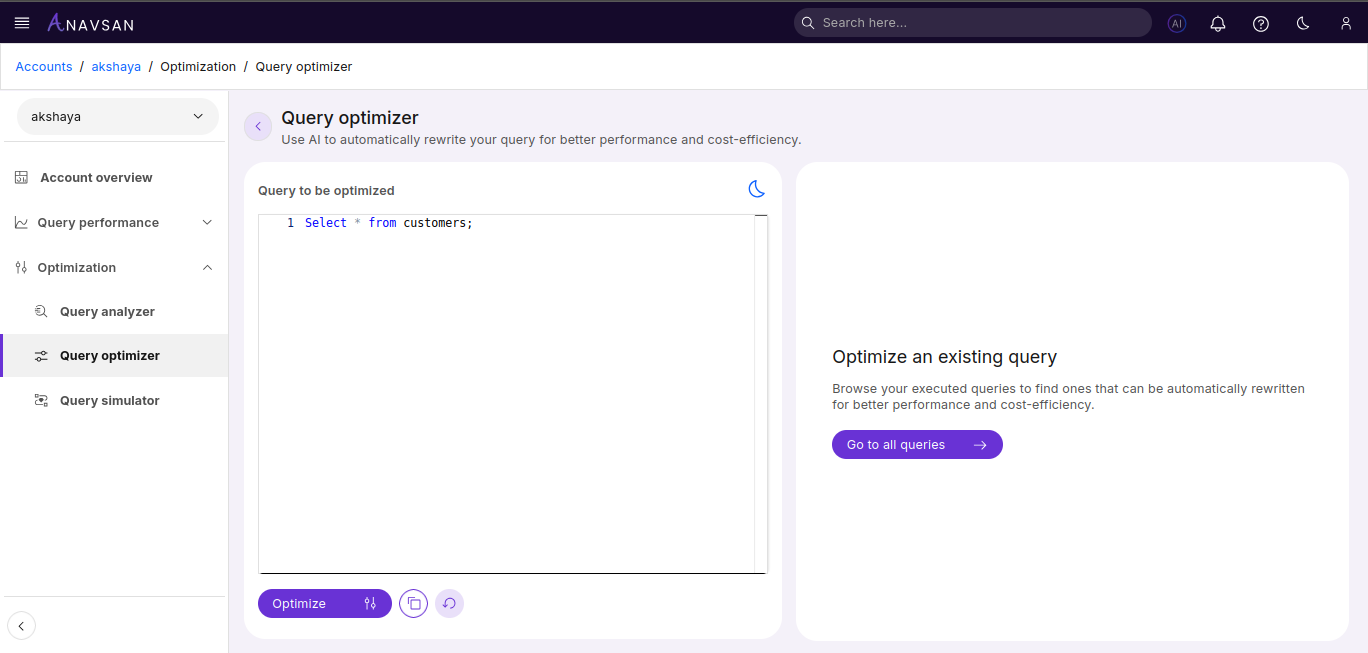
Navigate to Optimization > Query Optimizer. The editor opens with placeholder text.
Enter your Snowflake query
Paste or type your SQL query using standard Snowflake SQL dialect. Queries can reference any databases, schemas, or objects accessible to your connected Snowflake account. The editor supports multi-line queries and standard SQL syntax highlighting.
Optimized Result
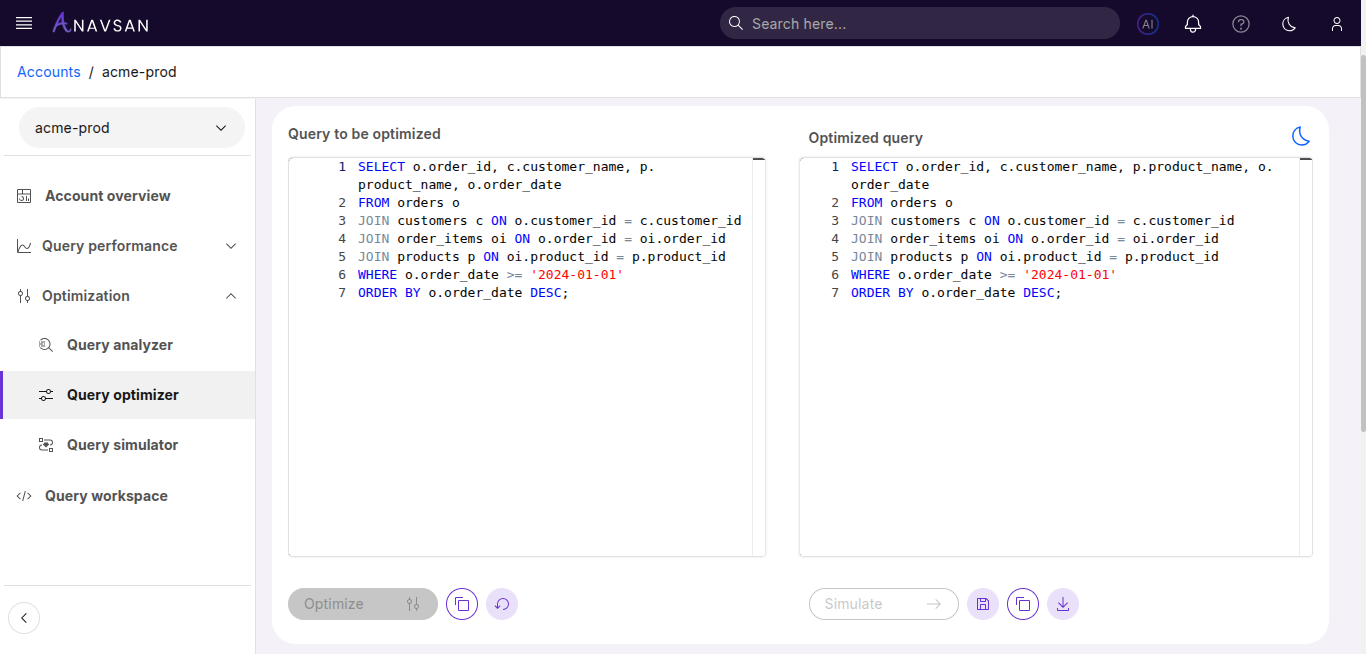
After optimization completes, the tool displays the original and optimized queries side by side, along with detailed recommendations explaining the improvements made.
Action Buttons
Below the editor, action buttons provide optimization and management functionality.
| Button | Description |
|---|---|
| Optimize | Triggers AI-powered query optimization |
| Copy | Copies query to clipboard |
| Reset | Clears the editor |
| Simulate | Opens Query Simulator with optimized query |
| Save | Saves optimized query to Query Workspace |
| Download | Downloads the optimized query |