Assigned Queries
The Assigned Queries page provides a centralized view for FinOps to track all queries assigned to team members for optimization, investigation, or follow-up action. This helps you see who is working on what, monitor team workload, and ensure expensive or problematic queries get fixed.
Why Assigned Queries?
From Finding Problems to Fixing Them
Finding expensive queries is just the beginning—someone needs to actually fix them. Assigned Queries creates a clear workflow: FinOps identifies costly queries, assigns them to the right Data Engineer with priority and context notes, then tracks progress until resolved. This ensures expensive queries don't get ignored and cost-saving opportunities turn into actual results.
Assigned Queries List
When assigned queries exist, they appear in a structured table with summary counts at the top.
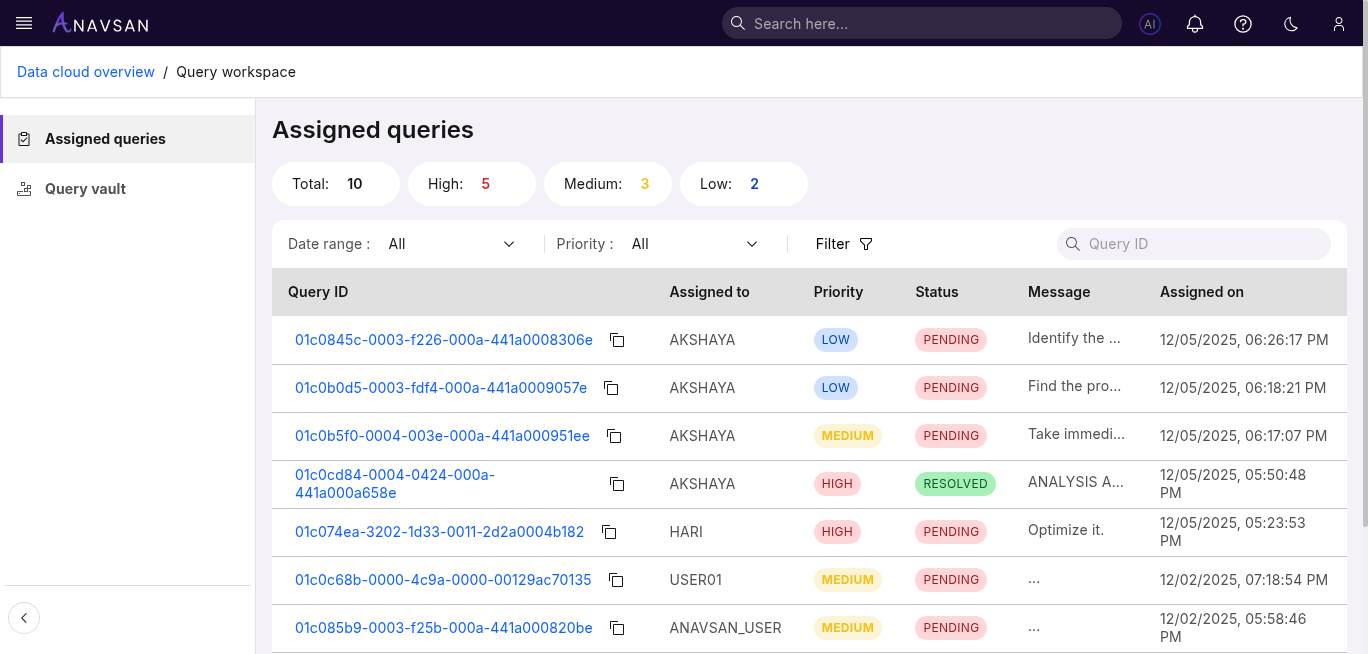
Query Counts
Badges show how many queries are assigned by priority:
- Total — Total number of assigned queries
- High — High-priority items requiring urgent attention
- Medium — Moderately important items
- Low — Lower-impact or long-term items
These counts help FinOps users understand workload distribution at a glance.
Table Columns
The table contains key details about each assigned query.
| Column | Description | Use Case |
|---|---|---|
| Query ID | Unique identifier for the query. Click to view details. | Quickly open the query to review execution details. |
| Assigned to | The user responsible for the query. | See ownership and reassign if needed. |
| Priority | Priority level (High / Medium / Low). | Identify which tasks require faster action. |
| Status | Current state (Pending / Resolved). | Track progress of assigned work. |
| Message | Notes added during assignment. | Provide context or instructions. |
| Assigned on | Date the query was assigned. | Track aging and workload timing. |
Filters
Filters help narrow the list to focus on relevant assigned queries.
Date Range Filter
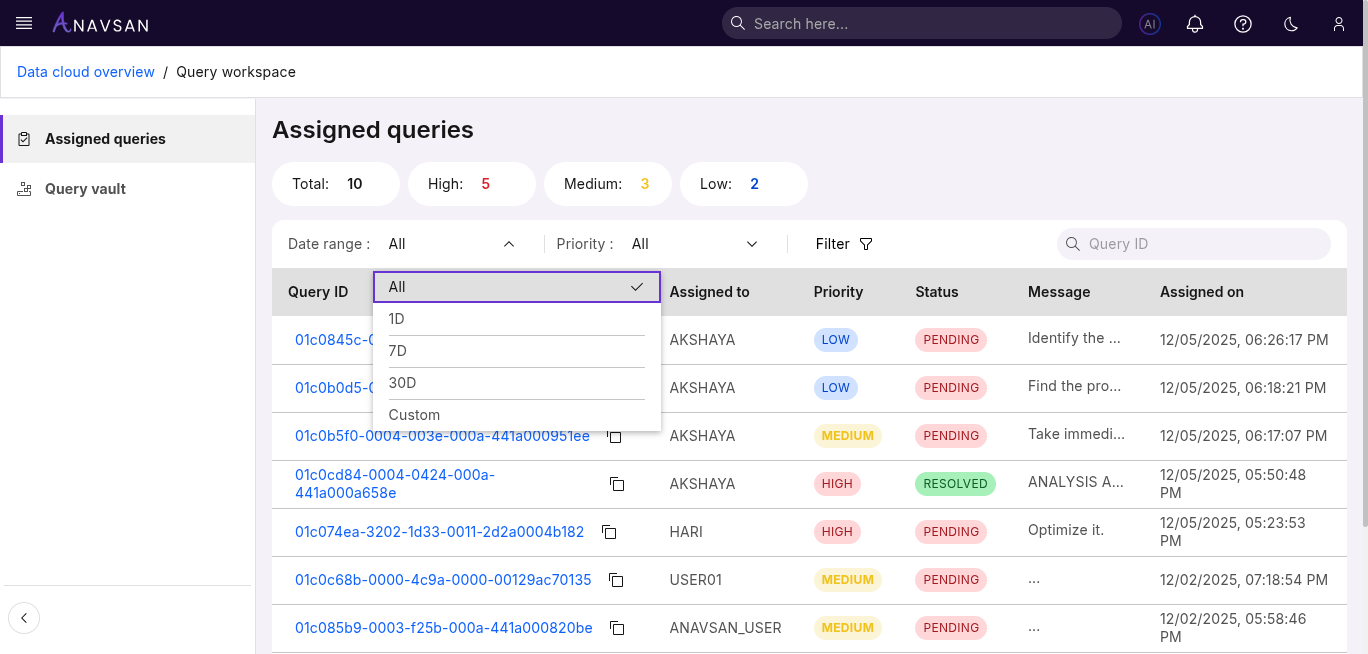
Choose from preset or custom date ranges:
- All — Shows all assigned queries
- 1D — Assignments from the last 24 hours
- 7D — Assignments from the past week
- 30D — Assignments from the past month
- Custom — Select a custom start and end date
Priority Filter
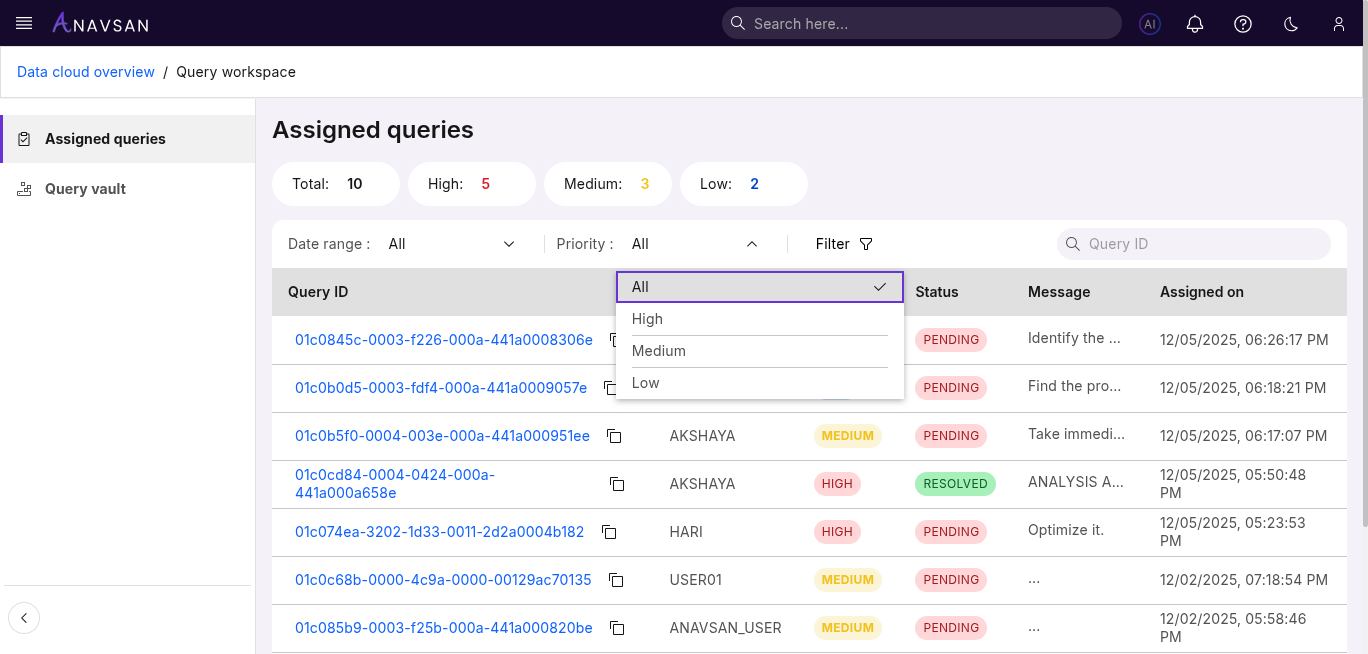
Filter assigned queries by priority:
- All — Shows all priorities
- High — Most urgent items
- Medium — Standard priority tasks
- Low — Low-impact or routine tasks
Short and clear — helps sort by urgency.
Status Filter
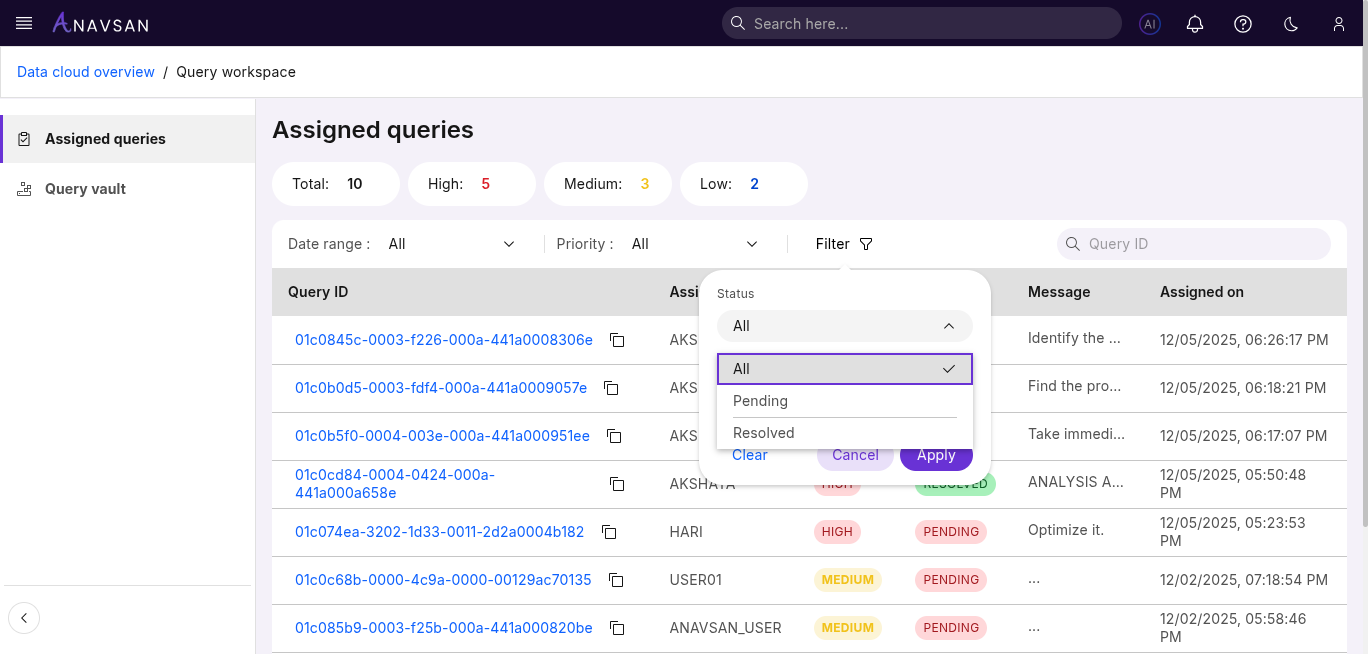
Options include:
- All — All statuses
- Pending — Work not yet completed
- Resolved — Completed assignments
Useful for tracking progress.
Assigned-To Filter
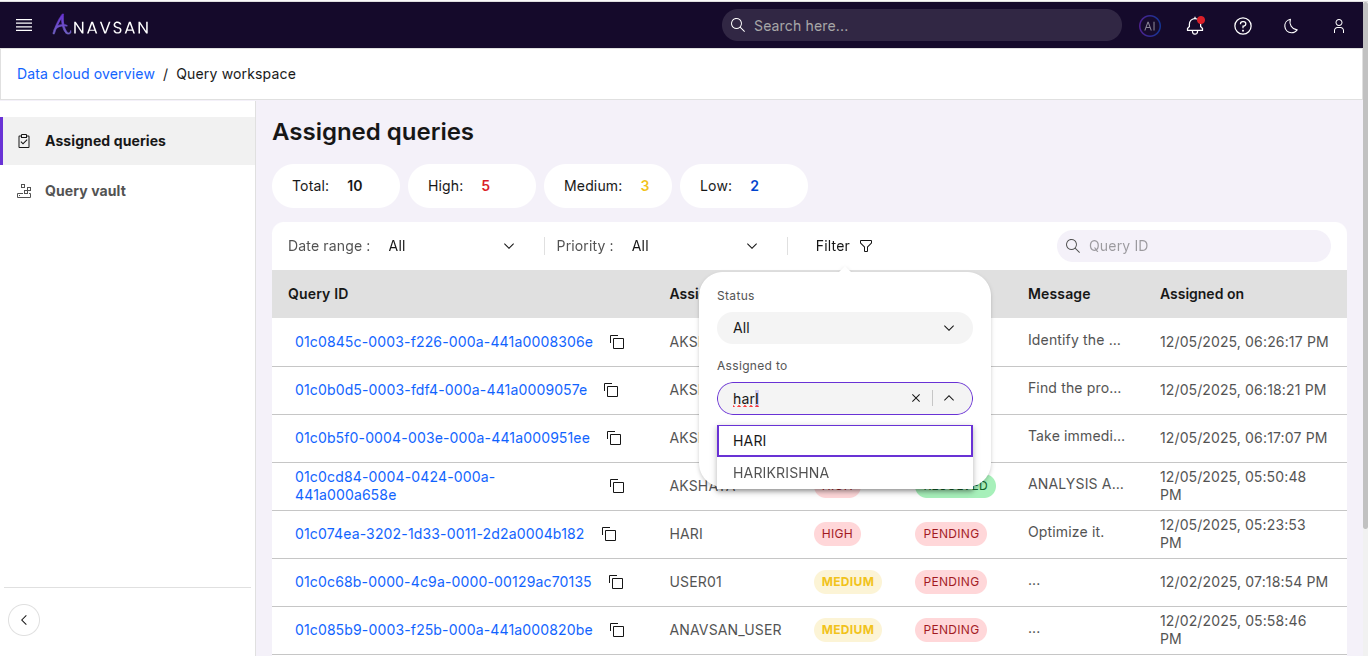
Filter queries by the user assigned to them.
You can:
- Search for users
- Select one or multiple assignees
- Clear selections
Helpful for seeing workload by user.
Query ID Search
A simple search bar lets you quickly find a query by Query ID.
Ideal for locating a specific assignment instantly.
Sorting
The following columns support sorting to help organize the list:
- Assigned to
- Priority
- Status
- Assigned on
Click a column header to toggle ascending or descending order.