Query Analyzer
The Query Analyzer leverages Anavsan’s AI to provide a deep, intelligent examination of your SQL queries. It evaluates execution patterns, resource usage, and potential inefficiencies, pinpointing the operations that drive up Snowflake credit consumption. By analyzing query metadata, Anavsan AI identifies expensive and cost-heavy elements, delivering detailed, actionable recommendations to optimize performance, reduce costs, and help you make smarter data decisions.
Why a Specialized Query Analyzer?
Snowflake-Native Intelligence
The Anavsan query analyzer is built specifically for Snowflake's execution model—not adapted from generic database tools.
Analyzer Highlights
- Understand query performance at a glance
- Inefficient joins
- Missing filters / pruning issues
- Excessive scans or re-scans
Access Query Analyzer
Navigate to Optimization > Query Analyzer. The editor opens with placeholder text.
Enter your Snowflake query
Paste or type your SQL query using standard Snowflake SQL dialect. Anavsan Query Analyzer will refer to the metadata of your Snowflake account. The editor supports multi-line queries and standard SQL syntax highlighting.
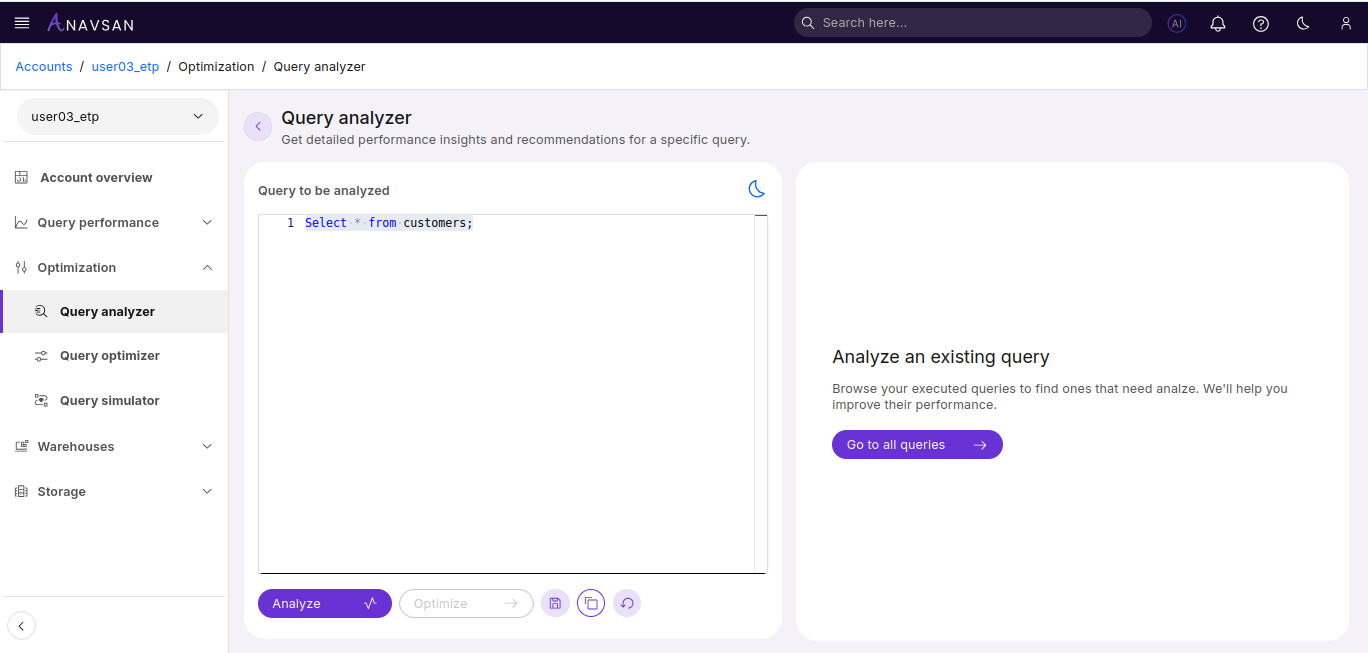
The Analyze button becomes enabled once you've entered a valid query. Click to initiate analysis.
Analyzed Result
Analysis typically completes in 10–30 seconds and displays comprehensive Snowflake-specific findings.
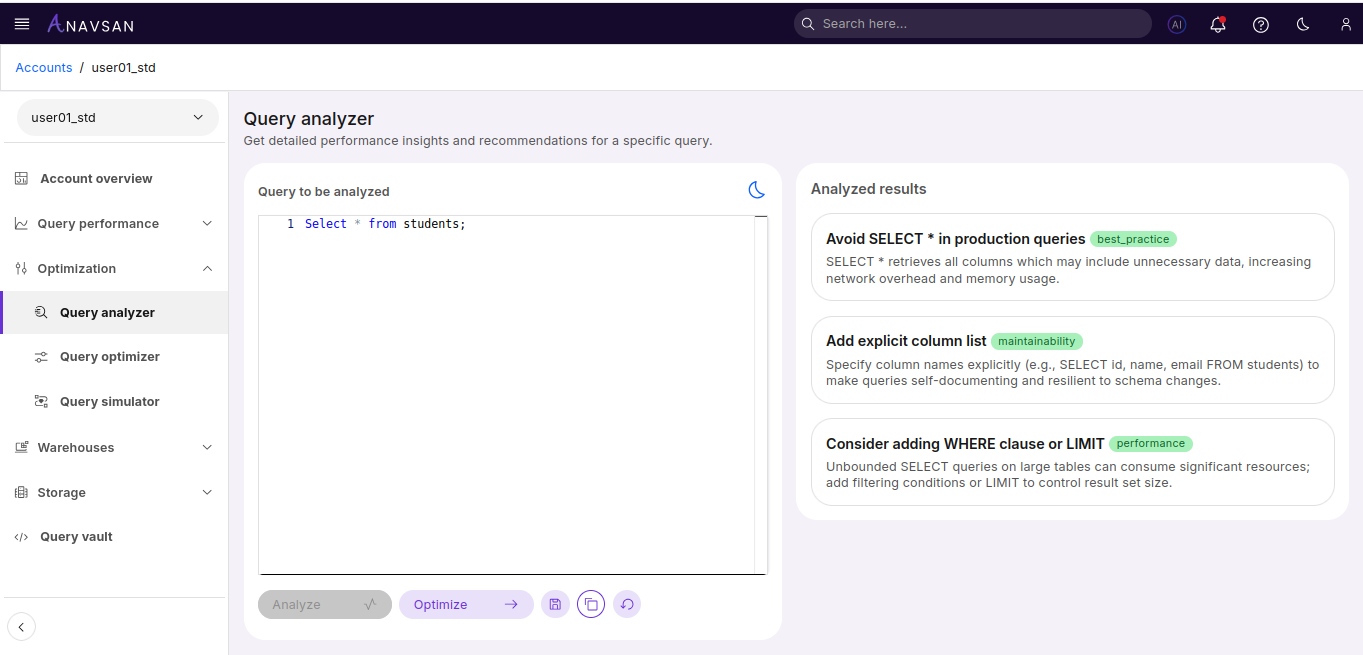
Action Buttons
Below the editor, action buttons provide analysis and management functionality.
| Button | Description |
|---|---|
| Analyze | Triggers comprehensive query analysis to evaluate execution patterns and resource usage |
| Optimize | Opens Query Optimizer with current query pre-loaded |
| Save | Saves query to Query Workspace for future reference |
| Copy | Copies query to clipboard |
| Reset | Clears the editor |